
Open your mobile analytics dashboard right now. Export the last 90 days of session data by device model. I’ll wait.
Done? Good. Now look at the distribution. If you’re like 90% of mobile teams, the data tells a clear story: five to ten device models account for 80% of your user sessions. The remaining 20% spreads across hundreds of device/OS combinations—the “long tail” that makes mobile testing feel impossible.
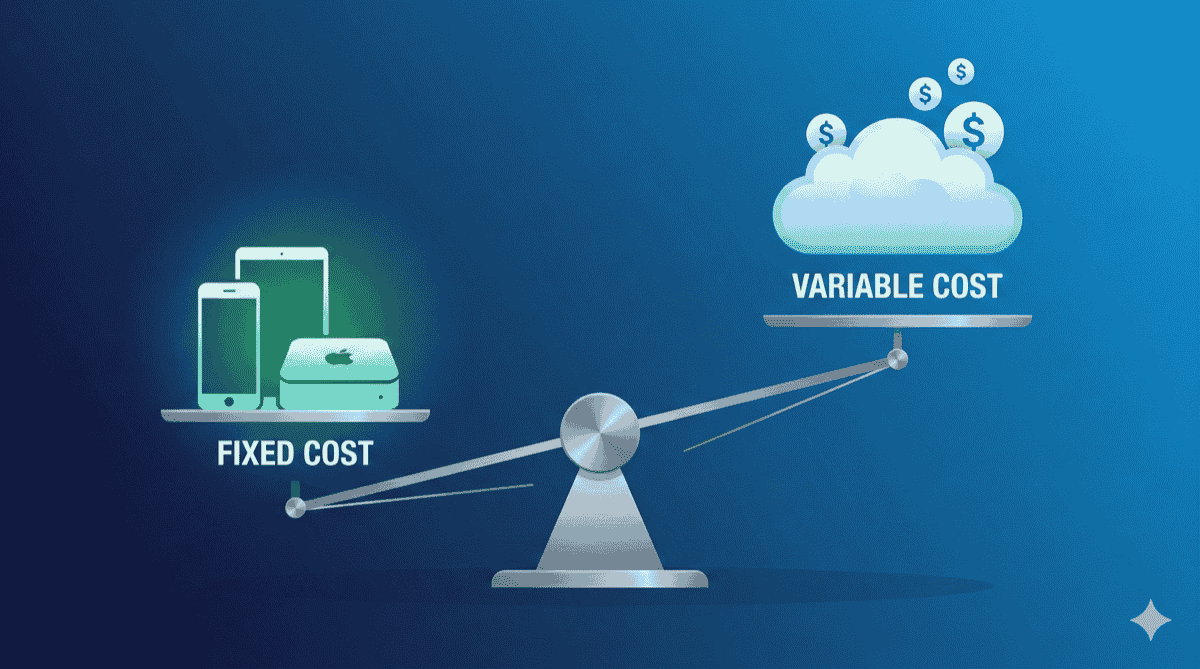
Here’s the expensive mistake most teams make: they pay cloud device farm prices ($199–$250/month per parallel slot) for all their testing, even though most tests run on the same handful of devices. They’re renting a Ferrari to drive to the grocery store because they might need to race on weekends.
The solution isn’t 100% cloud. It isn’t 100% local either. It’s hybrid—and your analytics already have the blueprint.
The Distribution Problem (And Why Cloud-Only Fails)
Mobile device fragmentation is real. Android alone has 24,000+ distinct device models. iOS is simpler but still fragments across screen sizes, chipsets, and OS versions. No team can own every device.
Cloud device farms solved the access problem. Need to test on a 2018 Samsung Galaxy J7 running Android 8? Fire up BrowserStack. Done. But they created a new problem: economics that don’t match usage patterns.
Consider what happens when you run 1,000 test executions per week:
| Device | Test Runs | % of Total |
|---|---|---|
| iPhone 15 Pro | 312 | 31.2% |
| iPhone 14 | 198 | 19.8% |
| Pixel 8 | 156 | 15.6% |
| Galaxy S24 | 134 | 13.4% |
| Galaxy S23 | 89 | 8.9% |
| Everything else | 111 | 11.1% |
You’re paying the same per-minute or per-slot rate for that iPhone 15 Pro (running 312 tests) as you are for that random Motorola G Power (running 3 tests). The unit economics make no sense.
The infrastructure world solved this decades ago with a pattern called cloud bursting: run steady-state workloads on owned infrastructure, burst to cloud only when demand exceeds capacity. Mobile testing teams should steal this playbook.
The Hybrid Architecture
A hybrid device lab splits your infrastructure into two tiers based on usage frequency and business sensitivity:
Tier 1: The Core (Local/Edge)
What runs here: Daily CI/CD, smoke tests, PR checks, developer debugging.
Devices: The 5–15 models covering 80%+ of your user base (identified from analytics).
Infrastructure: Mac Minis or dedicated PCs running DeviceLab, OpenSTF, or similar orchestration.
Cost model: Fixed monthly—you own the hardware and pay a flat software fee.
Latency: <50ms round-trip (devices are on your local network).
Security: Binaries never leave your premises. Zero upload to third parties.
Tier 2: The Overflow (Cloud)
What runs here: Nightly full regression, legacy device compatibility, customer bug reproduction, pre-release certification.
Devices: The “long tail”—5,000+ device/OS combinations.
Infrastructure: BrowserStack, Sauce Labs, AWS Device Farm, LambdaTest.
Cost model: Per-minute or per-slot—you pay only when you need it.
Latency: 200–400ms round-trip (network + virtualization overhead).
Security: Binaries upload to vendor infrastructure.
          ┌─────────────────────────────────────────┐
          │         Your CI/CD Pipeline             │
          └────────────────┬────────────────────────┘
                           │
                           ▼
          ┌─────────────────────────────────────────┐
          │           Test Router                   │
          │   (Checks device capability & availability)
          └────────────────┬────────────────────────┘
                           │
         ┌─────────────────┴─────────────────┐
         │                                   │
    Device in local lab?             Need rare device?
    Device available?                Local queue full?
         │                                   │
         ▼                                   ▼
┌─────────────────┐               ┌─────────────────┐
│   Local Lab     │               │  Cloud Farm     │
│   (DeviceLab)   │               │  (BrowserStack) │
│                 │               │                 │
│  ⚡ <50ms        │               │  🐢 200-400ms    │
│  💰 Fixed cost   │               │  💸 Per-minute   │
│  🔒 No upload    │               │  ☁️ Binary upload │
└─────────────────┘               └─────────────────┘
     ~80% traffic                    ~20% traffic
The key insight: you’re not replacing cloud—you’re right-sizing it. Cloud becomes your insurance policy for edge cases, not your primary infrastructure.
Step 1: Analytics-Driven Device Selection
Before buying a single device, let your data tell you what matters. Here’s the workflow:
Export Your Device Distribution
Firebase Analytics:
Analytics → Audiences → Create → Device Model
Export last 90 days → CSV
Mixpanel:
Insights → Breakdown by $device
Export → CSV
Apple App Analytics:
Metrics → Devices → Export
Identify Your “Core 80”
Sort by session count descending. Find the devices that cumulatively account for 80% of sessions. This is your purchase list.
For most B2C apps in the US market, the list looks something like:
| Priority | iOS | Android |
|---|---|---|
| 1 | iPhone 15 Pro / Pro Max | Pixel 8 / 8 Pro |
| 2 | iPhone 14 / 14 Pro | Galaxy S24 / S24+ |
| 3 | iPhone 13 | Galaxy S23 |
| 4 | iPhone SE (3rd gen) | Pixel 7a |
| 5 | iPad (10th gen) | Galaxy A54 |
Enterprise/B2B apps may skew differently—more Samsung devices, specific tablet models, or managed device requirements.
Regional apps (India, Brazil, Southeast Asia) will have dramatically different distributions—Xiaomi, Oppo, Vivo, and budget Samsung models dominate.
Don’t guess. Measure.
Step 2: The Security Decision Matrix
Not all builds are created equal. Your hybrid strategy should account for binary sensitivity:
| Build Type | Contents | Exposure Risk | Routing Decision |
|---|---|---|---|
| Development | Hardcoded API keys, debug symbols, staging endpoints | HIGH | Local only—never upload |
| Feature branches | WIP code, potentially sensitive logic | MEDIUM-HIGH | Local preferred |
| Staging | Obfuscated, staging backend | MEDIUM | Local for core, cloud for compat |
| Release candidates | Production-ready, obfuscated | LOW | Cloud acceptable for breadth |
| Production (monitoring) | App Store build | LOW | Cloud acceptable |
For regulated industries (healthcare, finance, government), the calculus shifts further toward local:
- HIPAA-covered entities may have BAA requirements that exclude some cloud vendors
- PCI DSS scope extends to test environments processing card data
- SOC 2 Type II audits require documented controls on third-party access
A hybrid architecture gives you the option to keep sensitive builds local without sacrificing coverage for production releases.
Step 3: Implementing the Router
The router is the brain of your hybrid setup. It decides where each test runs based on device requirements and availability.
Simple Bash Router (Maestro)
#!/bin/bash
# hybrid-router.sh

DEVICE_TAG="$1"
FLOW_FILE="$2"

# Define local device inventory
LOCAL_DEVICES=("iphone-15-pro" "iphone-14" "pixel-8" "galaxy-s24")

# Check if requested device is in local inventory
is_local_device() {
    for device in "${LOCAL_DEVICES[@]}"; do
        [[ "$1" == "$device" ]] && return 0
    done
    return 1
}

# Check if local device is available (not in use)
is_device_available() {
    # Query your device management API
    # Returns 0 if available, 1 if busy
    curl -s "http://localhost:8080/devices/$1/status" | grep -q "available"
}

if is_local_device "$DEVICE_TAG" && is_device_available "$DEVICE_TAG"; then
    echo "⚡ Routing to local lab: $DEVICE_TAG"
    maestro test "$FLOW_FILE" --device "$LOCAL_UDID"
else
    echo "☁️ Routing to cloud: $DEVICE_TAG"
    maestro cloud test "$FLOW_FILE" --device "$DEVICE_TAG"
fi
WebdriverIO Configuration
// wdio.hybrid.conf.js

const LOCAL_DEVICES = ['iPhone 15 Pro', 'Pixel 8', 'Galaxy S24'];
const LOCAL_HUB = 'http://localhost:4723';
const CLOUD_HUB = 'https://hub-cloud.browserstack.com/wd/hub';

async function isLocalDeviceAvailable(deviceName) {
    try {
        const response = await fetch(`http://localhost:8080/devices/status`);
        const devices = await response.json();
        return devices.some(d => d.name === deviceName && d.available);
    } catch {
        return false; // Local hub unreachable, fail to cloud
    }
}

exports.config = {
    beforeSession: async function(config, capabilities) {
        const deviceName = capabilities['appium:deviceName'];
        const useLocal = LOCAL_DEVICES.includes(deviceName)
                         && await isLocalDeviceAvailable(deviceName);

        if (useLocal) {
            console.log(`⚡ Routing ${deviceName} to local lab`);
            config.hostname = 'localhost';
            config.port = 4723;
        } else {
            console.log(`☁️ Routing ${deviceName} to cloud`);
            config.hostname = 'hub-cloud.browserstack.com';
            config.port = 443;
            config.user = process.env.BROWSERSTACK_USER;
            config.key = process.env.BROWSERSTACK_KEY;
        }
    }
};
GitHub Actions Workflow
# .github/workflows/test.yml

name: Hybrid Mobile Tests

on: [push, pull_request]

jobs:
  test:
    runs-on: ubuntu-latest
    strategy:
      matrix:
        device:
          - { name: "iPhone 15 Pro", tier: "local" }
          - { name: "Pixel 8", tier: "local" }
          - { name: "Galaxy S24", tier: "local" }
          - { name: "iPhone 8", tier: "cloud" }  # Legacy
          - { name: "Moto G Power", tier: "cloud" }  # Long tail

    steps:
      - uses: actions/checkout@v4

      - name: Run Local Tests
        if: matrix.device.tier == 'local'
        run: |
          # Connect to self-hosted runner with device access
          npm run test:local -- --device="${{ matrix.device.name }}"
        env:
          LOCAL_DEVICE_HUB: ${{ secrets.LOCAL_DEVICE_HUB }}

      - name: Run Cloud Tests
        if: matrix.device.tier == 'cloud'
        run: |
          npm run test:cloud -- --device="${{ matrix.device.name }}"
        env:
          BROWSERSTACK_USER: ${{ secrets.BROWSERSTACK_USER }}
          BROWSERSTACK_KEY: ${{ secrets.BROWSERSTACK_KEY }}
Step 4: Queue Management and Failover
What happens when all local iPhone 15 devices are busy? You have three options:
Option A: Wait (Suboptimal)
Tests queue until a local device frees up. Increases CI/CD time but keeps costs predictable.
Option B: Burst to Cloud (Recommended)
If local queue exceeds threshold (e.g., >2 tests waiting), overflow to cloud automatically. This is true cloud bursting.
async function getDeviceEndpoint(deviceName, maxQueueDepth = 2) {
    const localStatus = await getLocalQueueStatus(deviceName);

    if (localStatus.available) {
        return { type: 'local', endpoint: LOCAL_HUB };
    }

    if (localStatus.queueDepth <= maxQueueDepth) {
        // Queue is acceptable, wait for local
        return { type: 'local-queued', endpoint: LOCAL_HUB };
    }

    // Queue too deep, burst to cloud
    console.log(`🔥 Cloud burst: ${deviceName} queue depth ${localStatus.queueDepth}`);
    return { type: 'cloud-burst', endpoint: CLOUD_HUB };
}
Option C: Priority Routing
Critical path tests (smoke, PR checks) get priority on local devices. Full regression runs can wait or burst.
# Priority-based routing
test_priority:
  smoke: local_only  # Never goes to cloud
  pr_check: local_preferred  # Bursts if queue > 1
  regression: cloud_preferred  # Saves local for interactive
  compatibility: cloud_only  # Always cloud
The Financial Model
Let’s compare 3-year TCO for a team needing 10-device parallel capacity:
Scenario A: 100% Cloud
BrowserStack App Automate: 10 parallels × $199/month = $1,990/month
Annual: $23,880
3-year: $71,640

+ Hidden costs:
  - Queue wait time (est. 15% slower CI): ~$2,400/year in developer time
  - Flakiness from latency: ~$1,200/year in reruns

Adjusted 3-year total: ~$82,000
Scenario B: 100% Local (Unrealistic but Illustrative)
Hardware (8 devices + 2 Mac Minis):
  - 4× iPhones ($500 avg refurb): $2,000
  - 4× Android ($400 avg refurb): $1,600
  - 2× Mac Mini M2 ($599 each): $1,198
  Total hardware: $4,798

Software (DeviceLab at $49/device/month):
  - 8 devices × $49 × 36 months: $14,112

Maintenance (devices, cables, replacements):
  - Est. $200/year: $600

3-year total: ~$19,500

BUT: You can't test on legacy devices you don't own.
Scenario C: Hybrid (Recommended)
Local Core (8 devices):
  - Hardware: $4,798
  - Software (DeviceLab): $14,112
  - Maintenance: $600
  Subtotal: $19,510

Cloud Overflow (2 parallels for edge cases):
  - BrowserStack: 2 parallels × $199 × 36 months: $14,328

3-year total: ~$33,838

Savings vs. 100% cloud: $48,000 (58%)
Coverage: Same (core + long tail)
Speed: Faster (local <50ms vs cloud 200-400ms)
The hybrid approach delivers 58% savings while maintaining full coverage. And because local tests run 2-3x faster, your CI/CD feedback loop accelerates—which has compounding productivity benefits.
Device Refresh Cadence
Local devices depreciate. Plan for it:
| Device Age | Action | Reasoning |
|---|---|---|
| 0–18 months | Primary use | Matches current user base |
| 18–36 months | Secondary use | Still common in market |
| 36+ months | Retire or long-tail | Move to cloud coverage |
Budget for 30% device refresh annually. A device you buy today will represent a shrinking percentage of your user base over time—that’s natural and expected.
When retiring local devices, don’t throw them away. They become useful for:
- Developer debugging stations
- Manual QA exploratory testing
- Customer support reproduction
- Staging environment permanent fixtures
When to Stay 100% Cloud
Hybrid isn’t right for everyone. Stay cloud-only if:
- Test volume is low (<100 device-minutes/month): Fixed costs don’t amortize
- Device diversity is extreme: Your analytics show no “core” devices (highly fragmented user base)
- Team is fully remote with no office: No physical location for devices
- Regulatory prohibits on-premise: Some contracts require vendor-managed infrastructure
- No internal ops capacity: You truly cannot maintain hardware
For everyone else, hybrid is the economically rational choice.
Migration Path: The 30-60-90 Plan
Don’t rip out your existing infrastructure overnight. Migrate incrementally:
Days 1–30: Pilot
- Export device analytics, identify top 5 devices
- Purchase 2–3 devices + 1 Mac Mini
- Set up DeviceLab on a single machine
- Route 10% of PR checks to local
- Measure: execution time, success rate, developer feedback
Days 31–60: Expand
- Add remaining “core” devices (total 6–10)
- Implement cloud burst logic for queue overflow
- Route all PR checks to local-preferred
- Route smoke tests to local-only
- Measure: cloud cost reduction, CI/CD time improvement
Days 61–90: Optimize
- Fine-tune queue thresholds
- Add priority routing for critical paths
- Document runbooks for device maintenance
- Calculate actual TCO savings
- Plan device refresh schedule
The Bottom Line
Cloud device farms solved the access problem. But they created an economic mismatch between usage patterns and pricing models. You’re paying premium rates for commodity workloads.
Hybrid architecture applies the infrastructure industry’s “cloud bursting” pattern to mobile testing:
- Run steady-state locally at fixed cost
- Burst to cloud for peak demand and edge cases
- Route intelligently based on device availability and test priority
Your analytics already know which devices matter. Use that data to right-size your infrastructure and stop paying cloud prices for local problems.
Next Steps
Build your core lab: Certified Hardware List — recommended devices and Mac Mini configurations.
Understand the cost math: The Parallel Slot Tax — why cloud pricing doesn’t scale.
Secure your binaries: Zero-Trust Architecture — how DeviceLab keeps your APKs local.
Start testing today: Getting Started Guide — 15 minutes to your first local test.
See how DeviceLab compares to the giants: vs BrowserStack | vs Sauce Labs | Read the Cost Analysis →