
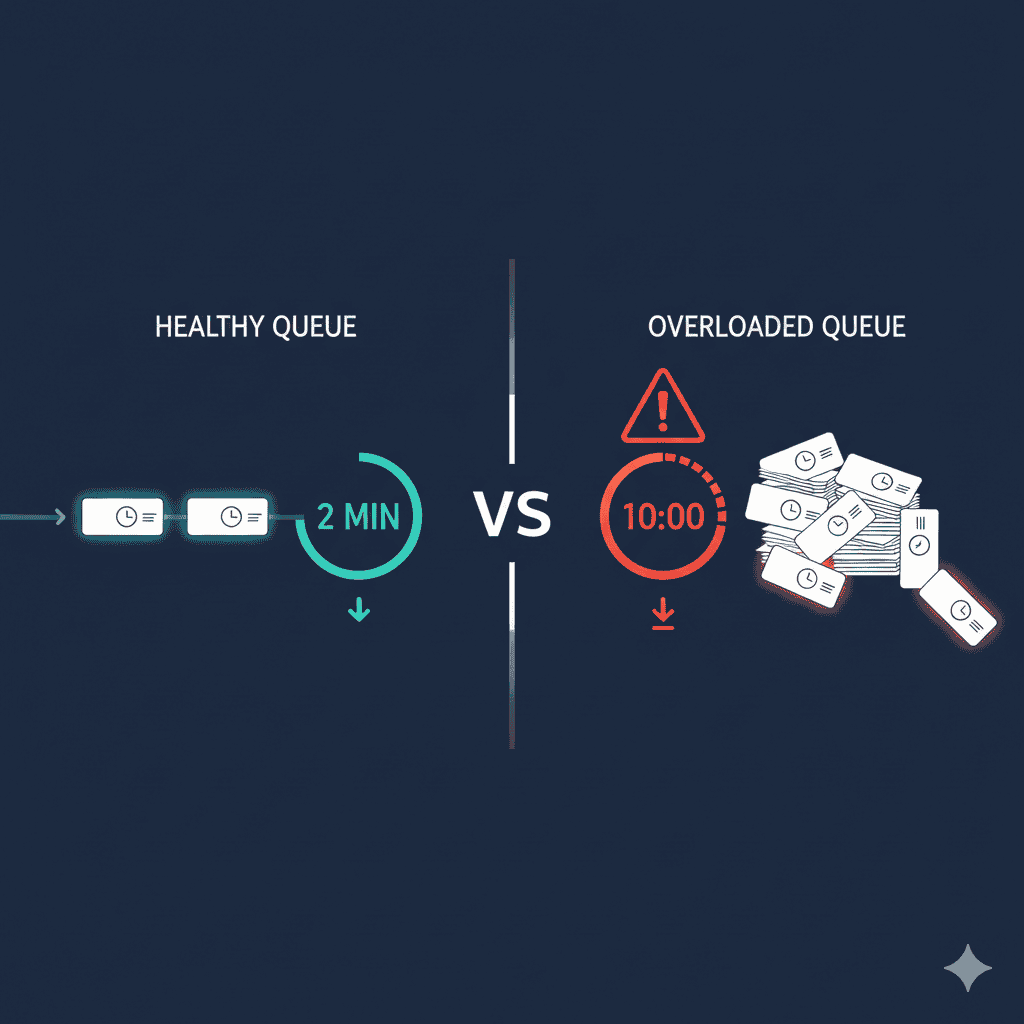
LambdaTest slow performance is one of the most common complaints across review platforms. G2 alone shows 279 mentions of “slow performance” in user reviews. This guide explains why LambdaTest is slow, HyperExecute’s actual limitations, and what you can do about it.
Note: LambdaTest has rebranded to TestMu AI. The information in this article still applies to the platform under its new name.
How Bad Is the LambdaTest Speed Problem?
G2 Review Statistics
From G2’s LambdaTest Pros and Cons analysis:
| Issue | Mentions |
|---|---|
| Slow Performance | 279 |
| Slow Loading | 260 |
| Testing Difficulties | 138 |
That’s 539 mentions of speed-related issues in verified user reviews.
What Users Say About LambdaTest Speed
Live Testing Lag
“The loading time is extremely long when I test the webpages on the mobile viewports which makes me rather use developer tools instead of the LambdaTest.”
— Software Advice
“Sometimes the live testing feels slow and lags, and the session times out if I leave it idle for a bit.”
— Software Advice
“LambdaTest is impressive overall, but I noticed occasional delays during live testing, which can interrupt productivity.”
— Software Advice
Peak Hours Congestion
“While LambdaTest is robust, there are occasional lags during peak usage times, which can be slightly frustrating.”
— G2
“Sometimes the session startup time is a bit longer during peak hours, and occasional minor lags appear when testing on older devices.”
— G2
“Test execution speed can occasionally be slower during peak times, especially for live testing sessions.”
— GetApp
“The loading time for virtual machines can be a bit slow sometimes, especially during peak hours.”
— Capterra
Real Device Performance
“Performance issue in real device testing - it is very slow sometimes even the internet is stable.”
— TrustRadius
“Real devices are little bit laggy. Session disconnect issue.”
— TrustRadius
“Real device testing can run a little slower during busy hours.”
— GetApp
VM and Emulator Issues
“The main issue is the speed. Launching a VM for real-time testing takes forever, and once you are actually in a session, the input lag is unbearable—especially on iOS simulators.”
— Trustpilot
“Can be clunky at times, emulators tend to load page slow, they sometimes stop working. Rotating a device takes really long and is prone to breaking.”
— G2
“The mobile application is running slow on Live testing.”
— G2
Overall Assessment
“Suffers from significant and widely reported performance issues, including laggy live sessions and slow test execution speeds.”
— TestDino Analysis
“The pricing structure is considered expensive by many users, creating a poor price-to-value ratio, especially when performance is slow.”
— TestDino
Why Is LambdaTest Slow?
1. Peak Hour Congestion
LambdaTest uses shared infrastructure. When more users test simultaneously, everyone experiences slowdowns.
Peak hours: 9 AM - 6 PM PST (US business hours)
During peak times:
- Device allocation takes longer
- VM startup is delayed
- Session latency increases
- Queue times grow
2. Network Latency
Distance to LambdaTest data centers affects speed.
| Region | Hub URL | Best For |
|---|---|---|
| US | hub.lambdatest.com |
Americas |
| EU | hub.eu.lambdatest.com |
Europe, Africa |
| APAC | hub.ap.lambdatest.com |
Asia-Pacific |
Using the wrong region adds latency to every command.
3. VPN Interference
VPNs route traffic through additional servers, adding latency.
Solution: Whitelist LambdaTest domains:
*.lambdatest.com*.lambdatest.io
Or disable VPN during testing.
4. Shared Infrastructure Limits
Unlike dedicated device labs, cloud platforms share resources:
- Popular devices have higher contention
- iOS devices are particularly contested
- Newer device models are in higher demand
5. Test Design Issues
Your tests might be slow due to:
- Using
sleep()instead of explicit waits - Too many Selenium/Appium commands
- Large file uploads during tests
- Missing
driver.quit()causing session leaks
HyperExecute: Does It Actually Fix Speed?
The Claim
LambdaTest claims HyperExecute is “70% faster than traditional Selenium grids.”
The Reality
HyperExecute improves orchestration speed, not necessarily individual test speed. Benefits:
- Intelligent test distribution across machines
- Dependency caching for faster subsequent runs
- Parallel execution at scale
- Faster failure surfacing by reordering tests
But HyperExecute still runs on shared infrastructure. Peak hour congestion affects it too.
HyperExecute Limits You Need to Know
Queue Capacity
From LambdaTest docs:
“Maximum number of test cases that can be queued = n + 150, where n = number of concurrent sessions.”
| Licenses | Max Parallel | Max Queued | Total Capacity |
|---|---|---|---|
| 5 | 5 | 155 | 160 |
| 10 | 10 | 160 | 170 |
| 20 | 20 | 170 | 190 |
| 50 | 50 | 200 | 250 |
Critical: 10-Minute Queue Timeout
“Tests will be queued only for 10 minutes. If the tests presented in your queue exceeds the 10 minute timeline then your tests are removed from queue.”
— LambdaTest Timeout Docs
This means: If your tests wait more than 10 minutes for a device, they fail automatically.
Default Timeout Values
| Timeout | Default | What Happens |
|---|---|---|
| Idle Timeout | 120 seconds | Test aborted if no commands for 2 minutes |
| Queue Timeout | 10 minutes | Test removed from queue |
| Session Timeout | Varies | Session ends, test fails |
How HyperExecute Licensing Works
“Each parallel test execution consumes a single HyperExecute license. If you have 10 HyperExecute licenses and trigger 50 tests, only 10 will run in parallel and the rest 40 will be queued.”
— LambdaTest HyperExecute
With 10 licenses and 50 tests:
- 10 tests run immediately
- 40 tests queue
- If queue + execution exceeds 10 minutes per test, some fail
How to Fix LambdaTest Slow Performance
For complete setup and configuration details, see our LambdaTest setup guide.
1. Use the Closest Data Center
# US teams
command_executor = "https://hub.lambdatest.com/wd/hub"

# EU teams
command_executor = "https://hub.eu.lambdatest.com/wd/hub"

# APAC teams
command_executor = "https://hub.ap.lambdatest.com/wd/hub"
2. Run Tests During Off-Peak Hours
Peak hours to avoid: 9 AM - 6 PM PST
Better times:
- Early morning (before 9 AM PST)
- Evening (after 6 PM PST)
- Weekends
- Overnight (CI/CD scheduled runs)
3. Increase Timeout Values
capabilities = {
    "LT:Options": {
        "idleTimeout": 300,      # 5 minutes (default: 120s)
        "commandTimeout": 900,   # 15 minutes (default: 600s)
        "queueTimeout": 600,     # 10 minutes for device wait
    }
}
4. Disable Unnecessary Features
From LambdaTest Performance Tips:
"LT:Options": {
    "video": False,      # Disable if not needed
    "network": False,    # Disable network logs
    "console": False,    # Disable console logs
}
Each enabled feature adds overhead.
5. Fix VPN Issues
Either:
- Disable VPN during tests
- Whitelist:
*.lambdatest.com,*.lambdatest.io - Use split tunneling to exclude LambdaTest traffic
6. Optimize Test Design
# BAD - Using sleep
time.sleep(5)

# GOOD - Using explicit waits
from selenium.webdriver.support.ui import WebDriverWait
from selenium.webdriver.support import expected_conditions as EC

WebDriverWait(driver, 10).until(
    EC.presence_of_element_located((By.ID, "element"))
)
7. Always Call driver.quit()
try:
    # Your test code
    driver.find_element(By.ID, "submit").click()
except Exception as e:
    print(f"Test failed: {e}")
finally:
    driver.quit()  # CRITICAL - prevents session leaks
Session leaks consume your parallel capacity and slow future tests.
8. Use Device Regex for Faster Allocation
# Instead of specific model (higher contention)
"deviceName": "iPhone 14 Pro"

# Use pattern (faster allocation)
"deviceName": "iPhone 14.*"
When to Switch from LambdaTest
Consider alternatives if:
1. Speed Is Mission-Critical
CI/CD pipelines with strict time requirements can’t tolerate inconsistent performance.
2. You’re Paying Enterprise Prices
At $30K/month, you should expect reliable performance. Inconsistent speed at enterprise prices is poor value. See our complete LambdaTest pricing breakdown for cost details.
3. Peak Hours Are Your Only Option
If your team works US business hours and can’t run tests off-peak, you’ll consistently hit congestion.
4. Timeout Failures Are Blocking Releases
10-minute queue timeouts causing test failures means your test suite isn’t reliable.
Alternatives for Better Performance
BrowserStack
Pros:
- 3x more devices (30,000+ vs 10,000+)
- More data centers globally
- “Steady and reliable” per user reviews
Cons:
- 20% higher pricing
- Still shared infrastructure
- Peak hour issues exist (but less reported)
Self-Hosted (DeviceLab)
Pros:
- No shared infrastructure congestion
- No queue timeouts
- Consistent performance (your devices, your network)
- No peak hour slowdowns
Cons:
- Requires owning devices
- Limited to devices you have
Pricing: $99/device/month, first device free
Hybrid Approach
Use cloud for broad coverage, own devices for critical paths:
- LambdaTest: Smoke tests, broad compatibility
- Own devices: Critical user flows, CI/CD gates
Performance Comparison
| Factor | LambdaTest | BrowserStack | Self-Hosted |
|---|---|---|---|
| Peak hour impact | High | Medium | None |
| Queue timeouts | 10 minutes | Similar | None |
| Device contention | High for popular | Lower (more devices) | None |
| Network latency | Depends on region | Depends on region | Local |
| Consistency | Variable | More consistent | Fully consistent |
Quick Checklist: LambdaTest Slow
When LambdaTest is slow, check:
| Check | Action |
|---|---|
| Right data center? | Use closest region |
| Peak hours? | Run off-peak if possible |
| VPN enabled? | Disable or whitelist |
| Timeouts configured? | Increase idleTimeout, commandTimeout |
| Unnecessary features? | Disable video/network/console if not needed |
| Using sleep()? | Switch to explicit waits |
| driver.quit() called? | Add to finally block |
| Specific device? | Use device regex pattern |
| LambdaTest status? | Check status.lambdatest.com |
Frequently Asked Questions
Why is LambdaTest so slow?
LambdaTest slowness is commonly caused by peak hour congestion (9 AM - 6 PM PST), network latency to data centers, VPN interference, shared infrastructure limits, and popular device contention. G2 reviews show 279 mentions of “slow performance” across user feedback.
Is LambdaTest HyperExecute actually 70% faster?
HyperExecute claims 70% faster execution than traditional Selenium grids, but user experience varies. During peak hours, performance degrades due to shared infrastructure. The speed improvement is most noticeable for large test suites with intelligent orchestration, not necessarily for individual test execution.
What are HyperExecute queue limits?
HyperExecute queue capacity equals your licenses plus 150. With 10 licenses, you can queue up to 160 tests. Critical limitation: tests waiting longer than 10 minutes are automatically removed from the queue and fail.
How do I fix LambdaTest timeout errors?
Increase timeouts in LT:Options: set idleTimeout above 120 seconds (default) and commandTimeout above 600 seconds. Also ensure driver.quit() is called, disable VPN or whitelist LambdaTest domains, and use the closest data center region.
When is LambdaTest slowest?
LambdaTest is slowest during US peak hours: 9 AM - 6 PM PST (Pacific Standard Time). Running tests overnight, early morning, or from different time zones can significantly improve performance due to less congestion on shared infrastructure.
Should I switch from LambdaTest due to slow performance?
Consider switching if: performance issues persist after optimization, you need guaranteed speed SLAs, you’re running time-critical CI/CD pipelines, or you’re paying enterprise prices for inconsistent service. Alternatives include BrowserStack (more devices, similar speed) or self-hosted solutions (no shared infrastructure).
Summary
LambdaTest slow performance is a widely documented issue:
- 279 G2 mentions of “slow performance”
- 260 G2 mentions of “slow loading”
- Peak hours significantly impact speed
- HyperExecute helps orchestration but doesn’t eliminate shared infrastructure limits
- 10-minute queue timeout can fail tests automatically
Fixes that work:
- Use closest data center
- Run tests off-peak
- Increase timeout values
- Disable unnecessary features
- Optimize test design
- Always call driver.quit()
When to switch:
- Speed is mission-critical
- Enterprise pricing but inconsistent performance
- Queue timeouts blocking releases
- Can’t avoid peak hours
Need consistent performance without shared infrastructure? DeviceLab connects your own devices—no queue timeouts, no peak hour congestion, no 10-minute limits. First device free, $99/device/month after.