
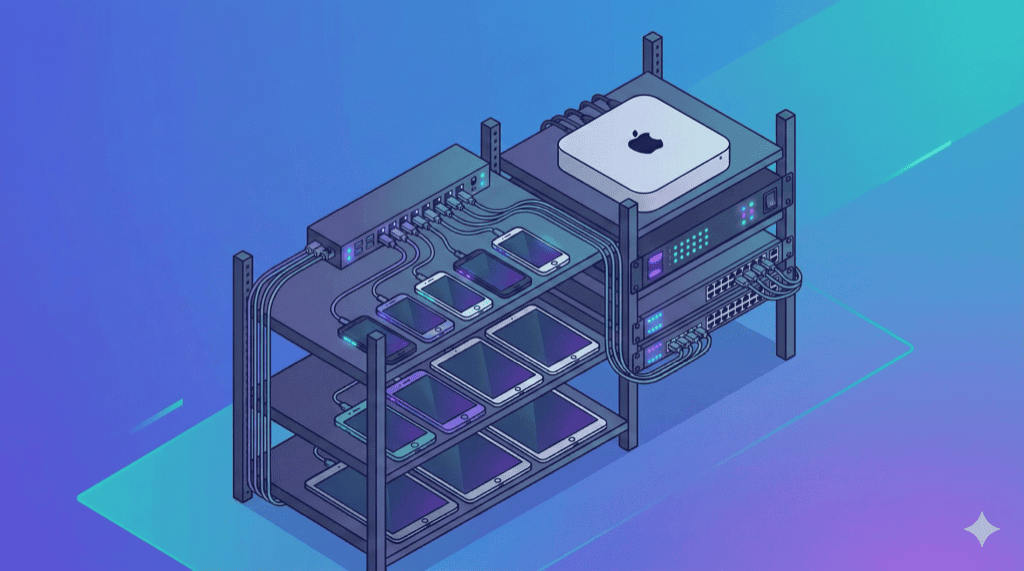
The right hardware makes or breaks a device lab. Consumer-grade components cause intermittent failures, flaky tests, and endless debugging. Enterprise-grade hardware provides reliability.
This guide covers specifications for every component, with specific product recommendations.
USB Hub: The Most Critical Component
Consumer USB hubs are the #1 cause of device lab failures.
From an Acroname case study: “USB hardware often fails in intermittent, hard-to-debug ways that can take up valuable engineering time. Devices under test can end up in unknown states, requiring rebooting and plug-unplug cycles.”
Why Consumer Hubs Fail
| Specification | Consumer Hub | What You Need |
|---|---|---|
| Power per port | 500-900mA | 2-3A minimum |
| Total power | 20-40W | 100-300W |
| ESD protection | None | ±15kV |
| Power management | None | Per-port control |
| Reliability | Variable | Industrial-grade |
When devices boot or enter high-power test modes, they draw 2-3A. Consumer hubs brown out, disconnecting devices mid-test.
USB Hub Specifications to Look For
Minimum Requirements:
- Per-port current: 2.4A minimum (3A preferred)
- Total shared power: 100W+ for 10 devices
- USB 3.0+ data speed (5Gbps)
- Individual port LED indicators
- Metal chassis (heat dissipation)
Preferred Features:
- Per-port power control (turn ports on/off programmatically)
- Programmable power delivery (PD)
- Daisy-chaining support (scale to 96+ devices)
- Battery state-of-charge management
- API/CLI control for automation
- ESD surge protection (±15kV)
Recommended USB Hubs
Enterprise Tier ($800+):
| Hub | Ports | Power | Features | Price |
|---|---|---|---|---|
| Cambrionix ThunderSync5-C16PD | 16 USB-C | 285W shared, 4.5-60W/port | Thunderbolt 5, one-click DFU, remote management | $1,500+ |
| Cambrionix ThunderSync3-16 | 16 USB-A | Up to 4Gbps/port | Thunderbolt 3, daisy-chain to 96 ports | $1,200+ |
| Acroname USBHub3c | 9 USB-C | 100W/port max | PD control, battery SoC management, programmable | $800+ |
| Acroname USBHub3+ | 9 ports | 4A fast charge | Per-port control, dual host, ESD protection | $600+ |
Google uses Cambrionix for “complex testing and automation needs across a diverse range of mobile products.”
Budget Tier ($200-400):
| Hub | Ports | Power | Features | Price |
|---|---|---|---|---|
| Coolgear 20-port USB-C | 20 | 27W/port, PD 2.0/3.0 | ESD protection, industrial chassis, charge/sync LEDs | $300-400 |
| Coolgear 10-port USB-C | 10 | 27W/port | Same as above, smaller | $200-250 |
| SIIG 20-port USB 3.0 | 20 | 5V/2.1A per port | Metal housing, over-current protection | $200-300 |
Budget hubs work for smaller labs but lack programmability and advanced power management.
Host Computer Requirements
For iOS Testing: Mac Required
Apple mandates Xcode for iOS test automation. No exceptions.
Mac Mini (Recommended):
| Model | Specs | Use Case | Price |
|---|---|---|---|
| Mac Mini M2 | 8-core CPU, 8GB RAM, 256GB | Small labs (5-10 devices) | $599 |
| Mac Mini M2 (upgraded) | 8-core CPU, 16GB RAM, 512GB | Medium labs (10-20 devices) | $999 |
| Mac Mini M2 Pro | 12-core CPU, 16GB RAM | Large labs (20+ devices), parallel Xcode builds | $1,299 |
Why Mac Mini:
- Compact form factor for rack mounting
- Fanless M-series (reliable 24/7 operation)
- Sufficient USB ports with hub
- Runs Appium, Xcode, Android SDK simultaneously
Alternative: Mac Studio for heavy workloads, but overkill for most labs.
For Android-Only Testing: Any Computer
Android testing runs on macOS, Windows, or Linux.
Recommended Options:
| Option | Specs | Price |
|---|---|---|
| Intel NUC 13 Pro | i5, 16GB RAM, 512GB SSD | $500-700 |
| Beelink Mini PC | i5/Ryzen 5, 16GB RAM, 500GB | $300-500 |
| Existing desktop | Repurposed hardware | $0 |
Minimum specs:
- CPU: 4+ cores (i5/Ryzen 5 or better)
- RAM: 16GB (Appium is memory-hungry)
- Storage: 256GB SSD (app builds, logs)
- USB: 4+ USB 3.0 ports (or rely on hub)
Multi-Computer Setups (Large Labs)
For 20+ devices, distribute load:
[ Mac Mini ] ─── [ Hub 1 ] ─── 10 iOS devices
[ Intel NUC ] ─── [ Hub 2 ] ─── 10 Android devices
       │
       └── Both connect to Selenium Grid Hub
Cable Specifications
Bad cables cause more test failures than any other component after power issues.
Cable Requirements
Lightning Cables (iOS):
- MFi (Made for iPhone) certified only
- USB-A to Lightning or USB-C to Lightning
- Length: 1m maximum (longer = voltage drop)
- Budget: $20-30 per cable
USB-C Cables (Android, modern iOS):
- USB-IF certified
- E-marker chip for power delivery
- 3A or 5A rated
- USB 3.1+ for data speed
- Budget: $15-25 per cable
What to Avoid:
- Amazon Basics or generic cables (inconsistent quality)
- Cables over 2m length
- Cables without certification
Cable Testing
Acroname discovered through e-mark reading that “although they had ordered cables of the same brand and model number, the underlying cable manufacturer and quality varied substantially.”
Recommendation: Buy from one batch, test each cable, and label working cables.
Replacement Schedule
| Cable Type | Replacement Interval |
|---|---|
| Heavy use (daily testing) | 6-12 months |
| Moderate use | 12-18 months |
| Stationary (rarely unplugged) | 18-24 months |
Budget for cable replacement: $150-300/year for a 10-device lab.
Power Infrastructure
Power Calculations
Per-Device Power:
- Idle/standby: 2-5W
- Active testing: 8-12W
- Fast charging: 15-27W
10-Device Lab Power Budget:
| Component | Power Draw |
|---|---|
| 10 devices (testing) | 80-120W |
| USB hub | 50-100W |
| Mac Mini M2 | 35-65W |
| Router | 10-15W |
| Total | 175-300W |
UPS (Uninterruptible Power Supply)
Protect against power fluctuations that crash tests.
Recommendations:
| Lab Size | UPS Rating | Runtime | Price |
|---|---|---|---|
| 5-10 devices | 650-850VA | 10-15 min | $80-120 |
| 10-20 devices | 1000-1500VA | 10-15 min | $150-250 |
| 20+ devices | 2000VA+ | 15+ min | $300+ |
Features to prioritize:
- Pure sine wave output (cleaner power)
- USB connectivity (graceful shutdown triggers)
- Surge protection
Dedicated Circuit
For labs over 15 devices, consider a dedicated 20A circuit. Sharing circuits with other equipment causes voltage fluctuations.
Network Hardware
Dedicated WiFi Router
Isolate test devices from production network:
Requirements:
- 2.4GHz and 5GHz dual-band
- 20+ device capacity
- VLAN support (optional, for advanced isolation)
- WPA3 security
Recommended Routers:
| Router | Device Capacity | Price |
|---|---|---|
| TP-Link Archer AX21 | 40+ devices | $80 |
| ASUS RT-AX58U | 50+ devices | $130 |
| Ubiquiti UniFi 6 Lite | 50+ devices | $100 |
Ethernet for Hosts
Connect host computers via Ethernet, not WiFi. Test stability depends on reliable host connectivity.
Network Configuration
Internet
    │
Production Router
    │
    ├── Production VLAN (company devices)
    │
Device Lab Router
    │
    └── Test VLAN (test devices only)
            │
            ├── Mac Mini (Appium host)
            ├── Device 1
            ├── Device 2
            └── ...
Physical Infrastructure
Device Mounting Options
Option 1: Desktop Stands ($50-100)
- Simple phone/tablet stands
- Good for small labs (5-10 devices)
- Easy to rearrange
Option 2: Wall/Rack Mount ($100-300)
- Pegboard with hooks
- 19" server rack shelves
- Saves desk space
- Scales to 20+ devices
Option 3: Commercial Solutions ($500-2,000+)
- Cambrionix ModIT system
- Proper cable management
- Integrated hub mounting
- Professional appearance
Device Orientation
- Keep devices vertical when possible (better cooling)
- Ensure screen visibility for debugging
- Label each device clearly (device name, UDID)
Environmental Requirements
Temperature:
- Operating: 60-80°F (15-27°C)
- 10+ devices generate heat; ensure airflow
Humidity:
- 30-70% relative humidity
- Avoid basements (too humid) or server rooms (too dry)
Ventilation:
- Don’t enclose in cabinet without ventilation
- Small USB fan helps in enclosed racks
Device Selection Guidelines
Coverage Strategy
By Analytics:
- Pull top 20 devices from your analytics
- Identify devices covering 80% of traffic
- Start with top 8-12
By Category:
| Category | Devices to Include |
|---|---|
| iOS Flagship | iPhone 15 Pro, iPhone 14 |
| iOS Mid | iPhone SE, iPhone 13 |
| Android Flagship | Galaxy S24, Pixel 8 |
| Android Mid | Galaxy A54, Pixel 7a |
| Android Budget | Redmi Note, Galaxy A15 |
| Tablets | iPad, Galaxy Tab |
Device Refresh Schedule
Devices degrade (batteries, buttons, ports). Plan for rotation:
| Lab Size | Annual Refresh Rate | Budget |
|---|---|---|
| 10 devices | 2-3 devices (20-30%) | $800-$1,500 |
| 20 devices | 4-5 devices | $1,600-$2,500 |
| 50 devices | 10-12 devices | $4,000-$6,000 |
Complete Hardware Checklist
Minimum Viable Lab (5 devices)
| Item | Specification | Qty | Cost |
|---|---|---|---|
| Host computer | Mac Mini M2 or better | 1 | $599 |
| USB hub | Coolgear 10-port or better | 1 | $200 |
| Devices | Mix iOS/Android | 5 | $2,000 |
| Cables | MFi/USB-IF certified | 6 | $150 |
| WiFi router | Dual-band | 1 | $80 |
| Stands/mounting | Desktop stands | 5 | $50 |
| UPS | 650VA | 1 | $80 |
| Total | $3,159 |
Production Lab (10 devices)
| Item | Specification | Qty | Cost |
|---|---|---|---|
| Host computer | Mac Mini M2 16GB | 1 | $999 |
| USB hub | Cambrionix ThunderSync3-16 or Acroname | 1 | $800-1,200 |
| Devices | Mix iOS/Android/Tablet | 10 | $5,000 |
| Cables | Premium certified | 12 | $300 |
| WiFi router | Enterprise-grade | 1 | $130 |
| Rack/mounting | Wall mount or rack | 1 | $200 |
| UPS | 1000VA | 1 | $150 |
| Misc (labels, ties, etc.) | - | - | $100 |
| Total | $7,679-$8,079 |
Enterprise Lab (20+ devices)
| Item | Specification | Qty | Cost |
|---|---|---|---|
| Host computers | Mac Mini M2 Pro + Intel NUC | 2 | $1,800 |
| USB hubs | Cambrionix ThunderSync5 daisy-chained | 2 | $3,000 |
| Devices | Comprehensive coverage | 20 | $10,000 |
| Cables | Premium certified + spares | 25 | $625 |
| Network | Ubiquiti UniFi setup | 1 | $300 |
| Rack | 19" server rack | 1 | $400 |
| UPS | 1500VA | 1 | $200 |
| Environmental | Fans, cable management | - | $200 |
| Total | $16,525 |
Frequently Asked Questions
What USB hub specs are needed for a device lab?
Industrial-grade hubs with 2-3A per port minimum (consumer hubs provide only 500-900mA). Look for: per-port power control, programmable power delivery, ESD protection, and daisy-chaining capability. Enterprise options include Cambrionix ThunderSync ($1,500+) and Acroname USBHub3c ($800+).
Do I need a Mac for mobile device testing?
Yes, for iOS testing. Apple requires Xcode (Mac-only) to run XCUITest and WebDriverAgent. For Android-only testing, any computer works. A Mac Mini can handle both iOS and Android via Appium.
How much power does a device lab need?
A 10-device lab draws 100-150W during active testing. Plan for: 10-15W per device charging + host computer (35-150W) + USB hub (50-100W) + networking gear. Use a 1000VA+ UPS for power protection.
What cables should I use for a device lab?
Only use certified cables: MFi-certified for Lightning, USB-IF certified for USB-C. Budget $20-30 per cable. Replace cables every 12 months. Bad cables cause test flakiness—this is not where to cut costs.
Next Steps
With the right hardware, your device lab will run reliably for years. The investment in quality components pays off in reduced debugging and consistent test results.
Related Guides:
- How to Build a Mobile Device Lab - Complete setup walkthrough
- Device Lab Cost Analysis - Build vs buy calculator
- Private Device Cloud Architecture - Scaling patterns