
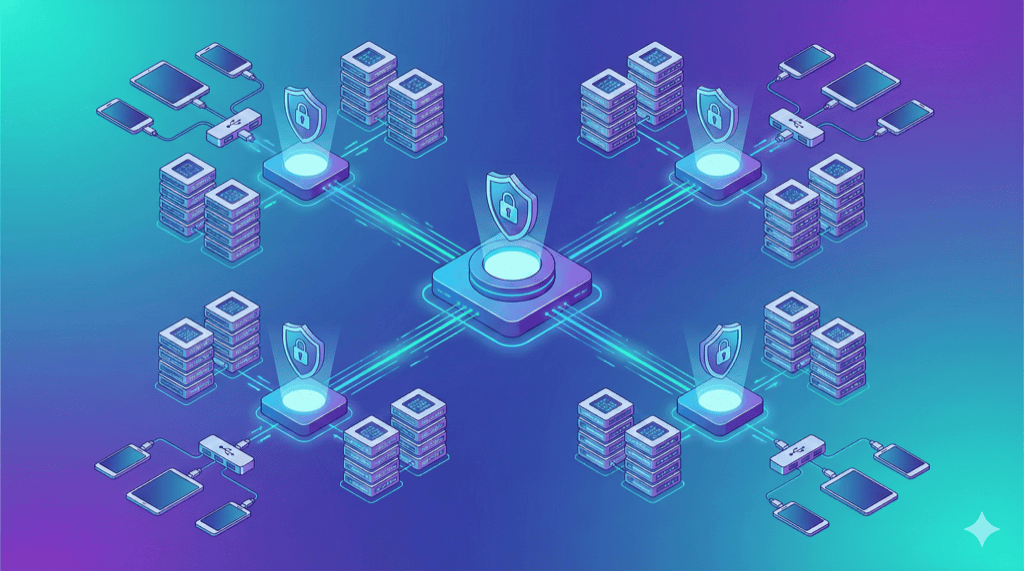
Public device clouds like BrowserStack and Sauce Labs offer convenience, but your test data leaves your network. For organizations with security requirements, private device clouds provide the same remote access capabilities while maintaining complete data control.
This guide covers architecture patterns for building enterprise-grade private device infrastructure.
What is a Private Device Cloud?
A private device cloud provides:
- Remote access to real mobile devices via browser
- Appium/Selenium integration for test automation
- Multi-user access with role-based permissions
- Centralized management of distributed devices
- Complete data sovereignty — nothing leaves your network
Unlike public clouds, you own the hardware and control where data flows.
Architecture Tiers
Tier 1: Single Location (10-30 devices)
Pattern: Monolithic
Best for: Single office, small-medium teams
+--------------------------------------------------+
|                   OFFICE NETWORK                  |
+--------------------------------------------------+
|                                                   |
|   +--------------+     +----------------------+   |
|   |  Selenium    |<----|   Web Dashboard      |   |
|   |    Grid      |     |   (Management UI)    |   |
|   +------+-------+     +----------------------+   |
|          |                                        |
|   +------v-------+                                |
|   |  Mac Mini    | <-- Runs Appium                |
|   |  (Host)      |                                |
|   +------+-------+                                |
|          |                                        |
|   +------v-------+                                |
|   |  Industrial  |                                |
|   |  USB Hub     |                                |
|   +------+-------+                                |
|          |                                        |
|   +------v-----------------------------------+    |
|   |  10-20 Mobile Devices                    |    |
|   +------------------------------------------+    |
|                                                   |
+---------------------------------------------------+
Components:
- 1 Mac Mini (or Intel NUC for Android-only) running Appium
- 1-2 industrial USB hubs
- 10-30 devices
- Selenium Grid Hub
- Web dashboard for device management
Limitations:
- Single point of failure
- Limited to local network access
- Doesn’t scale beyond ~30 devices per host
Tier 2: Single Location, Distributed (30-100 devices)
Pattern: Multi-host with shared Grid
Best for: Large teams, CI/CD integration
+--------------------------------------------------------------+
|                      OFFICE NETWORK                           |
+--------------------------------------------------------------+
|                                                               |
|              +----------------------+                         |
|              |   Selenium Grid Hub  |<-- Central              |
|              |   + Web Dashboard    |    coordination         |
|              +-----------+----------+                         |
|                          |                                    |
|        +-----------------+-----------------+                  |
|        |                 |                 |                  |
|   +----v----+      +----v----+      +----v----+              |
|   | Node 1  |      | Node 2  |      | Node 3  |              |
|   | Mac Mini|      | Mac Mini|      |Intel NUC|              |
|   +----+----+      +----+----+      +----+----+              |
|        |                |                 |                   |
|   +----v----+      +----v----+      +----v----+              |
|   | Hub 1   |      | Hub 2   |      | Hub 3   |              |
|   +----+----+      +----+----+      +----+----+              |
|        |                |                 |                   |
|   +----v----+      +----v----+      +----v----+              |
|   | 15 iOS  |      | 15 iOS  |      |20 Android|             |
|   | devices |      | devices |      | devices  |             |
|   +---------+      +---------+      +----------+             |
|                                                               |
|                    Total: 50 devices                          |
+---------------------------------------------------------------+
Components:
- 3-6 host computers (mix of Mac/PC)
- 3-6 industrial USB hubs (daisy-chain capable)
- Central Selenium Grid Hub (can run on separate server)
- Load balancer for web dashboard
Benefits:
- Horizontal scaling (add nodes as needed)
- Fault tolerance (one node failing doesn’t stop testing)
- Platform separation (iOS nodes, Android nodes)
Tier 3: Multi-Location (Global Enterprise)
Pattern: Hub-and-spoke with WebRTC
Best for: Distributed teams, global organizations
+------------------------------------------------------------------+
|                                                                   |
|                    CENTRAL MANAGEMENT                             |
|   +----------------------------------------------------------+   |
|   |              Control Plane (Cloud/HQ)                     |   |
|   |  +-------------+  +-------------+  +-----------------+    |   |
|   |  | Auth/SSO    |  | Device      |  | Test Queue/     |    |   |
|   |  | Service     |  | Registry    |  | Orchestration   |    |   |
|   |  +-------------+  +-------------+  +-----------------+    |   |
|   +-----------------------------+-----------------------------+   |
|                                 |                                 |
+------------------------------------------------------------------+
                                  |
         +------------------------+------------------------+
         |                        |                        |
         v                        v                        v
+-----------------+  +-----------------+  +-----------------+
|    US WEST      |  |    US EAST      |  |    EUROPE       |
|    OFFICE       |  |    OFFICE       |  |    OFFICE       |
+-----------------+  +-----------------+  +-----------------+
|                 |  |                 |  |                 |
|  +-----------+  |  |  +-----------+  |  |  +-----------+  |
|  |Device Node|  |  |  |Device Node|  |  |  |Device Node|  |
|  |+ Appium   |  |  |  |+ Appium   |  |  |  |+ Appium   |  |
|  +-----+-----+  |  |  +-----+-----+  |  |  +-----+-----+  |
|        |        |  |        |        |  |        |        |
|  +-----v-----+  |  |  +-----v-----+  |  |  +-----v-----+  |
|  | 20 devices|  |  |  | 30 devices|  |  |  | 25 devices|  |
|  +-----------+  |  |  +-----------+  |  |  +-----------+  |
|                 |  |                 |  |                 |
+-----------------+  +-----------------+  +-----------------+
Key Design Decisions:
-
Control plane vs data plane separation
- Central server handles auth, device registry, test queue
- Device nodes handle actual device connections
- Test data stays local to each office
-
WebRTC for device streaming
- Peer-to-peer video/input
- Low latency even across WAN
- No central video routing (bandwidth efficient)
-
Federated authentication
- SSO integration (Okta, Azure AD)
- Device access tied to identity
- Audit trail per user
Zero-Trust Architecture
For organizations handling sensitive data, zero-trust means:
Never trust external networks. Verify everything. Encrypt everything. Log everything.
Zero-Trust Device Cloud Pattern
                     +-----------------+
    User Browser ----|  Auth Gateway   |
         |           |  (SSO/MFA)      |
         |           +--------+--------+
         |                    | Verified identity
         |                    v
         |           +-----------------+
         |           | Device Registry |
         |           | (Authorization) |
         |           +--------+--------+
         |                    | Device access token
         |                    v
         |           +-----------------+
         +---------->|    WebRTC       |<-- Peer-to-peer
                     |  Signaling      |    (no data via server)
                     +--------+--------+
                              |
    +-------------------------+-------------------------+
    |                         |                         |
    v                         v                         v
 +------+                 +------+                 +------+
 |Device|<--------------->|Device|<--------------->|Device|
 |Node 1|  P2P encrypted  |Node 2|  P2P encrypted  |Node 3|
 +------+                 +------+                 +------+
Zero-Trust Principles Applied
Based on NIST Zero Trust Architecture guidelines:
| Principle | Implementation |
|---|---|
| Verify identity | SSO + MFA for all access |
| Least privilege | Role-based device access |
| Never trust network | All connections encrypted |
| Peer-to-peer | Test data doesn’t route through servers |
| Device isolation | Session isolation between users |
| Continuous verification | Session tokens expire, re-auth required |
| Audit everything | Log all device access and actions |
DeviceLab Zero-Trust Implementation
DeviceLab uses this exact architecture:
- WebRTC peer-to-peer — Your test data streams directly to your devices, never through DeviceLab servers
- Only metadata traverses cloud — Device status, session coordination (not test data)
- Your network, your rules — Devices behind your firewall, accessible remotely
This is why DeviceLab describes it as “privacy through architecture, not promises.”
Scaling Patterns
Horizontal Scaling: Adding Nodes
When you hit device limits per host:
Before: 1 Mac Mini -> 12 devices (maxed out)

After:
  Mac Mini 1 -> 12 devices
  Mac Mini 2 -> 12 devices
  Mac Mini 3 -> 12 devices
  -------------------------
  Total: 36 devices
Node Configuration:
# node1-config.json
{
  "hubHost": "grid-hub.internal",
  "hubPort": 4444,
  "maxSession": 12,
  "capabilities": [
    {
      "platformName": "iOS",
      "automationName": "XCUITest"
    }
  ]
}
Vertical Scaling: More Powerful Hosts
For compute-intensive testing (video, performance):
| Host | CPU | RAM | Devices Supported |
|---|---|---|---|
| Mac Mini M2 | 8-core | 8GB | 8-12 |
| Mac Mini M2 Pro | 12-core | 16GB | 15-20 |
| Mac Studio M2 Max | 12-core | 32GB | 20-30 |
Geographic Scaling: Regional Nodes
Reduce latency by placing devices near users:
US West (SF office)    -> US West devices
US East (NYC office)   -> US East devices
Europe (London office) -> EU devices
Asia (Singapore)       -> APAC devices
Benefit: Local devices, no cross-continental latency for manual testing.
Security Architecture
Network Segmentation
+----------------------------------------------------------+
|                    CORPORATE NETWORK                      |
+----------------------------------------------------------+
|                                                           |
|  +------------------+   VLAN 100: Corporate               |
|  | Employee laptops |                                     |
|  | Printers, etc.   |                                     |
|  +------------------+                                     |
|                                                           |
|  ========================================================= |
|                      FIREWALL                             |
|  ========================================================= |
|                                                           |
|  +------------------+   VLAN 200: Device Lab              |
|  | Device hosts     |   - Isolated from corporate         |
|  | USB hubs         |   - Controlled ingress/egress       |
|  | Mobile devices   |   - Monitored traffic               |
|  +------------------+                                     |
|                                                           |
+-----------------------------------------------------------+
Firewall Rules for Device Lab VLAN:
| Source | Destination | Port | Action |
|---|---|---|---|
| Corporate VLAN | Device Lab | 4444 (Grid) | Allow |
| Corporate VLAN | Device Lab | 4723-4750 (Appium) | Allow |
| Device Lab | Internet | * | Deny (or controlled) |
| Device Lab | Corporate VLAN | * | Deny |
Device Session Isolation
Between test sessions:
- Wipe app data
- Clear browser cache/cookies
- Reset network settings
- Restore device to known state
Appium Desired Capabilities:
{
  "fullReset": true,
  "noReset": false,
  "clearSystemFiles": true
}
Authentication and Authorization
Recommended Stack:
+-----------------+
|   OIDC/SAML     |  <-- Corporate SSO (Okta, Azure AD)
|   Provider      |
+--------+--------+
         |
         v
+-----------------+
|   Auth Gateway  |  <-- Validates tokens, enforces MFA
+--------+--------+
         |
         v
+-----------------+
|   RBAC Engine   |  <-- Maps groups to device access
+--------+--------+
         |
         v
+-----------------+
|   Device        |
|   Access        |
+-----------------+
Role Examples:
| Role | Access |
|---|---|
| QA Engineer | All devices, manual + automated |
| Developer | Team devices only, manual + automated |
| CI/CD Service | Automated access, no manual |
| Read-only | View devices, no interaction |
Audit Logging
Log everything:
{
  "timestamp": "2025-01-15T10:23:45Z",
  "user": "[email protected]",
  "action": "device_session_start",
  "device_id": "iphone-15-001",
  "source_ip": "192.168.1.100",
  "duration_seconds": 1847,
  "test_framework": "appium",
  "app_under_test": "com.company.app"
}
Retain logs for compliance (SOC2, HIPAA requirements vary).
High Availability Design
Single Points of Failure
| Component | SPOF Risk | Mitigation |
|---|---|---|
| Selenium Grid Hub | Yes | Run 2+ hubs behind load balancer |
| Host computer | Yes per node | Multiple nodes, device redistribution |
| USB hub | Yes per device group | Modular hub setup, hot-swap |
| Network switch | Yes | Redundant switches |
| Power | Yes | UPS + generator backup |
Active-Passive Grid Hub
+-----------------+     +-----------------+
|  Grid Hub       |     |  Grid Hub       |
|  (Active)       |<--->|  (Standby)      |
|  grid-1.local   |     |  grid-2.local   |
+--------+--------+     +--------+--------+
         |                       |
         +-----------+-----------+
                     |
              +------v------+
              | Load        |
              | Balancer    |
              | grid.local  |
              +-------------+
                     |
         +-----------+-----------+
         v                       v
    +---------+             +---------+
    | Node 1  |             | Node 2  |
    +---------+             +---------+
Device Health Monitoring
Automated checks:
# health_check.py
import subprocess

def check_device(device_id):
    result = subprocess.run(
        ['adb', '-s', device_id, 'shell', 'echo', 'ok'],
        capture_output=True,
        timeout=10
    )
    return result.returncode == 0

def restart_device(device_id):
    subprocess.run(['adb', '-s', device_id, 'reboot'])

# Run every 5 minutes
for device in get_all_devices():
    if not check_device(device.id):
        alert(f"Device {device.id} unresponsive")
        restart_device(device.id)
CI/CD Integration Patterns
Jenkins Pipeline
pipeline {
    agent any

    stages {
        stage('Acquire Devices') {
            steps {
                script {
                    // Request specific devices from pool
                    def devices = requestDevices([
                        [platform: 'iOS', version: '17'],
                        [platform: 'Android', version: '14']
                    ])
                    env.DEVICE_IDS = devices.join(',')
                }
            }
        }

        stage('Run Tests') {
            parallel {
                stage('iOS Tests') {
                    steps {
                        sh """
                            mvn test \
                                -Dplatform=iOS \
                                -DgridUrl=http://grid.local:4444
                        """
                    }
                }
                stage('Android Tests') {
                    steps {
                        sh """
                            mvn test \
                                -Dplatform=Android \
                                -DgridUrl=http://grid.local:4444
                        """
                    }
                }
            }
        }
    }

    post {
        always {
            // Release devices back to pool
            releaseDevices(env.DEVICE_IDS)
        }
    }
}
GitHub Actions with Self-Hosted Runner
name: Mobile Tests

on: [push]

jobs:
  test:
    runs-on: [self-hosted, device-lab]

    steps:
      - uses: actions/checkout@v4

      - name: Run Appium Tests
        run: |
          npm install
          npm test
        env:
          APPIUM_HOST: grid.local
          APPIUM_PORT: 4444
Frequently Asked Questions
What is a private device cloud?
A private device cloud is on-premise device testing infrastructure that provides cloud-like remote access to real mobile devices while keeping all test data within your network. Unlike public clouds (BrowserStack, Sauce Labs), devices and data never leave your control.
How do I architect a device cloud for multiple offices?
Use a hub-and-spoke model: central management server with device nodes at each location. Devices connect via WebRTC for peer-to-peer streaming. This avoids routing video through central servers while maintaining unified access control.
What security architecture does a device lab need?
Implement: network isolation (dedicated VLAN), device wipe between sessions, certificate-based auth, audit logging, and encrypted connections. For zero-trust, ensure test data never transits external networks—use peer-to-peer connections.
How many devices can one host computer manage?
A Mac Mini M2 handles 8-12 devices for iOS. Intel NUC handles 10-15 for Android. Beyond that, add hosts. For 50+ devices, use distributed architecture with 4-6 host computers connected to central Selenium Grid.
Next Steps
Architecture decisions depend on scale, security requirements, and team distribution. Start simple, validate the design works, then add complexity.
For most teams: Start with Tier 1 (single location), add nodes as you scale.
For enterprises: Plan for Tier 3 from the beginning. Retrofitting security and multi-site support is painful.
Related Guides:
- How to Build a Mobile Device Lab — Getting started
- Device Lab Hardware Requirements — Component specs
- Device Lab Cost Analysis — Budget planning