
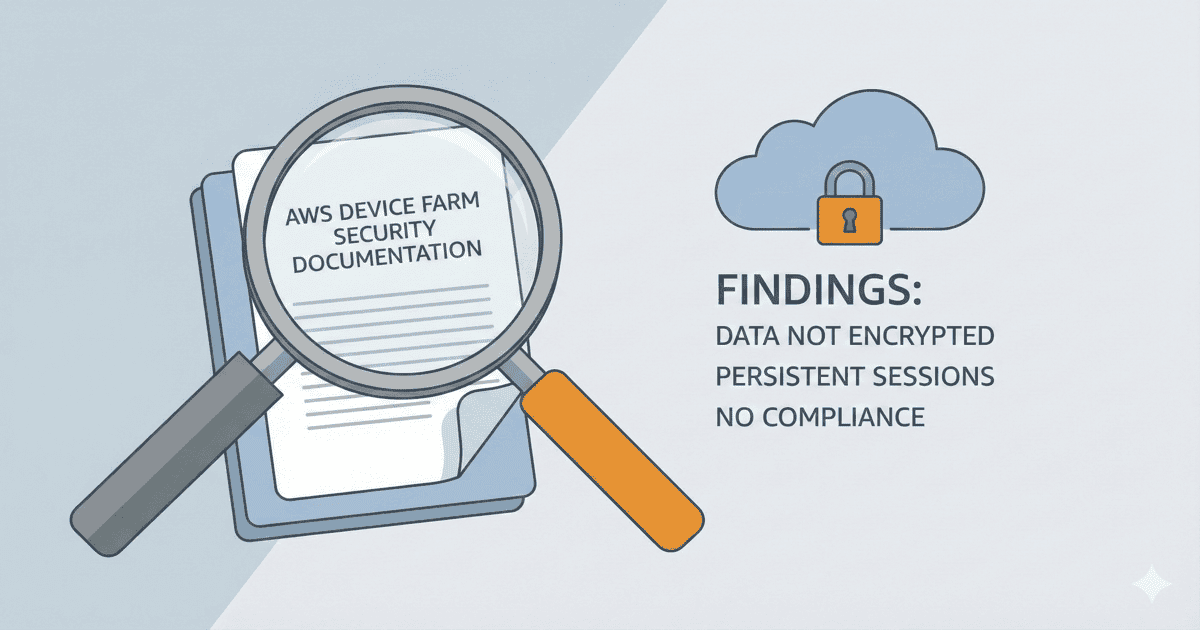
TL;DR: AWS Device Farm’s own documentation states that data is not encrypted at rest, may persist between sessions, and the service is not in scope for any AWS compliance programs. Here’s what that means for your mobile testing strategy.
Most teams trust AWS with everything. S3 buckets. EC2 instances. Lambda functions. So when they need mobile device testing, AWS Device Farm seems like the obvious choice. Same console. Same billing. Same security.
Except it’s not the same security.
AWS Device Farm’s security model is fundamentally different from other AWS services—and AWS tells you this directly in their documentation. Most teams just don’t read it.
Let’s fix that.
Finding #1: Data Is Not Encrypted at Rest
For more documentation gaps beyond security, see AWS Device Farm Documentation: What’s Missing.
This is the first surprise. In the Data Protection documentation, AWS states:
“Device Farm’s physical mobile device testing data is not encrypted at rest.”
— AWS Device Farm: Data Protection Documentation
Read that again. Not encrypted at rest.
For context, this is the opposite of virtually every other AWS service:
- S3: Encrypted at rest by default (since 2023)
- EBS: Encrypted at rest available
- RDS: Encrypted at rest available
- DynamoDB: Encrypted at rest by default
Device Farm is the exception. Your app binaries, test scripts, screenshots, logs—all stored unencrypted.
Why does this matter? Because encryption at rest is table stakes for compliance frameworks. SOC 2, HIPAA, PCI-DSS—they all expect data at rest to be encrypted. Device Farm doesn’t meet this baseline.
Finding #2: “Data May Persist Between Sessions”
This is the finding that should concern every security team. From the same documentation:
“It is possible for data to persist between sessions in some cases, especially if you make use of the device system outside the context of your app.”
— AWS Device Farm: Data Protection Documentation
AWS is telling you that when your test finishes, the cleanup process is best-effort, not guaranteed.
What could persist?
- Keychain entries (credentials, tokens)
- Clipboard history
- System caches
- Browser local storage
- Files written outside your app’s sandbox
- Account sign-ins (Google, Apple ID)
The next company running tests on that device might find traces of your test data. Or you might find traces of theirs.
AWS’s recommendation? Don’t use real data:
“We recommend that you do not enter sensitive information (for example, Google account or Apple ID), personal information, and other security-sensitive details during your automated test and remote access sessions.”
— AWS Device Farm: Data Protection Documentation
In other words: AWS is telling you their shared devices aren’t suitable for sensitive workloads.
Finding #3: “Best-Effort” Device Cleanup
The Infrastructure Security documentation describes AWS’s cleanup process:
“After test execution is complete, Device Farm performs a series of cleanup tasks on each device in the public device fleet, including uninstallation of your app. If we cannot verify uninstallation of your app or any of the other cleanup steps, the device receives a factory reset before it is put back into use.”
— AWS Device Farm: Infrastructure Security Documentation
Two things stand out:
- Cleanup is a series of tasks, not a factory reset by default. Only if cleanup fails does the device get reset.
- “Best-effort attempt” is the actual language used elsewhere: “Device Farm makes a best-effort attempt at keeping devices safe over time.”
Best-effort is fine for a todo app. It’s not fine for a banking app processing account numbers.
Finding #4: Not In Scope for ANY Compliance Program
This is perhaps the most significant finding. From the Compliance Validation documentation:
“AWS Device Farm is not in scope of any AWS compliance programs. These include SOC, PCI, FedRAMP, HIPAA, and others.”
— AWS Device Farm: Compliance Validation Documentation
Let that sink in. Not SOC 2. Not PCI-DSS. Not HIPAA. Not FedRAMP. None of them.
The documentation explicitly lists programs where Device Farm is excluded: “These include SOC, PCI, FedRAMP, HIPAA, and others.”
For comparison, here’s what’s in scope:
| AWS Service | SOC 2 | PCI-DSS | HIPAA | FedRAMP |
|---|---|---|---|---|
| EC2 | ✅ | ✅ | ✅ | ✅ |
| S3 | ✅ | ✅ | ✅ | ✅ |
| Lambda | ✅ | ✅ | ✅ | ✅ |
| Device Farm | ❌ | ❌ | ❌ | ❌ |
If your compliance team asks “Is our testing infrastructure SOC 2 compliant?” and you’re using Device Farm, the answer is no. Not because you configured something wrong—because AWS explicitly excludes it from their compliance programs.
Finding #5: Public Devices Are Shared
The Infrastructure Security documentation confirms what we suspected:
“Public devices are shared, and Device Farm makes a best-effort attempt at keeping devices safe over time.”
— AWS Device Farm: Infrastructure Security Documentation
This means:
- Another company used that iPhone before you
- Another company will use it after you
- AWS makes “best-effort” (not guaranteed) attempts to clean between sessions
For regulated industries, “shared” and “best-effort” are disqualifying words.
Finding #6: Private Devices Exist (At a Price)
AWS does offer an alternative:
“Private devices are accessible only by AWS accounts explicitly authorized to do so. Device Farm physically isolates these devices from other devices and keeps them on a separate network.”
— AWS Device Farm: Infrastructure Security Documentation
This is better. Dedicated devices. Physical isolation. Separate network. But:
- Pricing is significantly higher (you’re reserving hardware)
- You’re still using AWS’s infrastructure, not your own
- Data still isn’t encrypted at rest
- Still not in scope for compliance programs
Private devices solve the “shared infrastructure” problem but not the compliance gap.
What AWS Is Actually Telling You
Reading the documentation as a whole, AWS’s message is clear:
- Device Farm is designed for compatibility testing, not security-sensitive workloads
- Don’t use real data on shared devices
- Cleanup is best-effort, not guaranteed
- Compliance teams should not rely on Device Farm meeting their requirements
- Private devices help but don’t solve everything
This isn’t a criticism of AWS—they’re being transparent. The problem is that most teams don’t read the documentation before sending production credentials through their test suites.
The Compliance Math
Let’s make this concrete. If your organization needs to maintain compliance:
| Compliance Framework | Encryption at Rest | Data Isolation | Device Farm Status |
|---|---|---|---|
| SOC 2 | Required | Required | ❌ Not in scope |
| PCI-DSS | Required | Required | ❌ Not in scope |
| HIPAA | Required | Required | ❌ Not in scope |
| FedRAMP | Required | Required | ❌ Not in scope |
| ISO 27001 | Required | Required | ❌ Not in scope |
Using Device Farm for testing apps that handle data covered by these frameworks creates a compliance gap that auditors will identify.
What Are the Alternatives?
If AWS Device Farm’s security model doesn’t fit your requirements, you have options:
Option 1: Firebase Test Lab
Google’s offering. Similar shared device model. Similar limitations. Worth evaluating if you’re already in GCP.
Option 2: BrowserStack/LambdaTest/Sauce Labs
Third-party cloud providers. Some offer private device tiers. Check their specific compliance certifications—they vary. See Sauce Labs Security Warning for similar concerns with other providers.
Option 3: Vendor-Managed Private Infrastructure
Companies like HeadSpin and Kobiton offer on-premises deployments. Your devices, your network, their management software. More expensive, more control.
Option 4: Your Own Device Lab
Use your own devices with infrastructure software like DeviceLab. No shared devices. No data leaving your network. Full control over the device lifecycle. If you need to proceed with Device Farm, see the setup guide for best practices.
DeviceLab: AWS-Level Convenience, Private-Lab Security
DeviceLab gives you the benefits of cloud device testing without the security compromises.
| Feature | AWS Device Farm | DeviceLab |
|---|---|---|
| Device ownership | AWS’s devices | Your devices |
| Data encryption | Not at rest | Never leaves your network |
| Data persistence | May persist | You control wipe policy |
| Compliance scope | None | Inherits your infrastructure |
| Cleanup process | Best-effort | You decide |
| Shared infrastructure | Yes (public) | No (single-tenant) |
How it works:
# Connect your devices (office, data center, home)
curl -fsSL https://app.devicelab.dev/device-node/KEY | sh

# Run tests from anywhere
curl -fsSL https://app.devicelab.dev/test-node/KEY | sh -s -- --framework appium --app ./YourApp.apk
Your test data flows directly between your machines via P2P WebRTC. DeviceLab never sees your apps, tests, or results. We literally can’t—the architecture prevents it.
For organizations that need Device Farm’s convenience but can’t accept its security trade-offs, DeviceLab provides an alternative that’s private by design.
The Bottom Line
AWS Device Farm is a useful service for compatibility testing on a broad range of devices. But their own documentation makes clear that it’s not designed for sensitive workloads:
- Data isn’t encrypted at rest
- Data may persist between sessions
- Cleanup is best-effort
- No compliance program coverage
- Public devices are shared
If you’re testing apps that handle customer data, financial transactions, or healthcare information, you need to either:
- Accept these limitations and avoid using real data in tests
- Use private devices (still limited compliance coverage)
- Move to infrastructure you control
The documentation doesn’t lie. You just have to read it.
See why enterprises choose private device labs: Enterprise Guide | Security Risks | Cost Analysis →
Ready to keep your test data private? Start with DeviceLab — use your own devices, no shared infrastructure, no compliance gaps.