
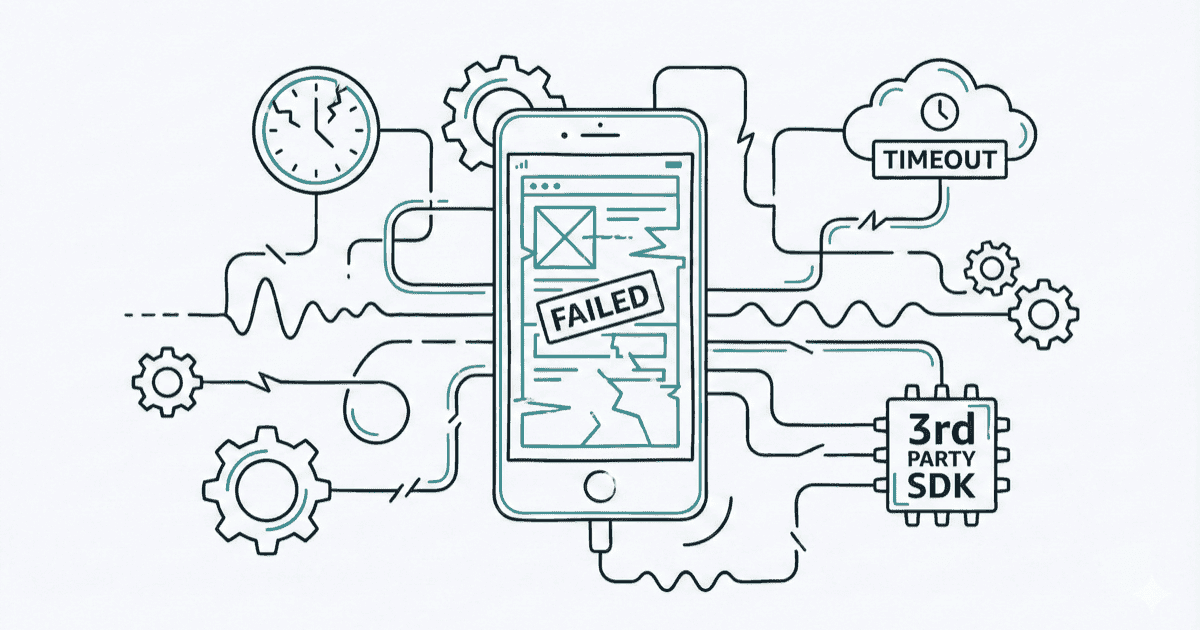
Maestro’s marketing promises tests that “embrace instability” and “automatically wait.” For simple apps on fast machines, it delivers. But real-world mobile testing is rarely simple or fast.
Here are the scenarios where Maestro’s built-in flakiness handling breaks down—and why teams end up writing workarounds that defeat the purpose of “automatic” handling.
Scenario 1: The Slow CI Problem
Your tests pass locally in 3 minutes. On GitHub Actions, they take 12 minutes—and fail randomly.
Why it happens:
Maestro’s timeouts are hardcoded for reasonably fast environments (see our source code analysis):
| Parameter | Hardcoded Value | CI Reality |
|---|---|---|
| Element lookup | 17 seconds | Often needs 30+ |
| Animation settle | 2 seconds | Can need 5+ |
| Optional element | 7 seconds | Unpredictable |
The math doesn’t work:
Local machine (M2 Mac):
- App launch: 2 seconds
- Element render: 200ms
- Total test: 45 seconds ✅

GitHub Actions (shared runner):
- App launch: 8 seconds
- Element render: 3 seconds
- Total test: Timeout ❌
What teams do:
# The "fix" that isn't
- extendedWaitUntil:
    visible: "Welcome"
    timeout: 60000
- tapOn: "Login"
- extendedWaitUntil:
    visible: "Dashboard"
    timeout: 60000
Now every command has a manual wait. Congratulations—you’ve recreated Appium’s explicit waits, but with more YAML.
What teams actually need:
# This doesn't exist
appId: com.company.app
env:
  CI:
    globalTimeout: 30000
    settleTimeout: 5000
---
- tapOn: "Login"  # Uses CI-appropriate timeouts
Scenario 2: The Animation Trap
Modern apps have animations everywhere: skeleton loaders, shimmer effects, pull-to-refresh, hero transitions. Maestro’s animation handling assumes animations are brief and finite.
The problem:
// Maestro's settle logic (from source)
repeat(10) {  // 10 iterations max
    MaestroTimer.sleep(200)  // 200ms each
}
// Total: 2 seconds maximum
Real-world animations that break this:
| Animation Type | Typical Duration | Maestro Handling |
|---|---|---|
| Skeleton loader | 1-5 seconds | Might work |
| Infinite shimmer | Until data loads | Fails |
| Lottie animation | 2-10 seconds | Often fails |
| Video background | Continuous | Always fails |
| Parallax scroll | Continuous | Always fails |
What happens:
- tapOn: "Load More"
# Maestro sees pixels changing (shimmer animation)
# Takes screenshot, compares, sees 0.6% diff
# Thinks tap "worked" because something changed
# Moves to next step before content loads
- assertVisible: "Item 11"  # FAILS - content not loaded yet
The workaround tax:
# Every team writes this eventually
- tapOn: "Load More"
- waitForAnimationToEnd:
    timeout: 10000  # Ignored anyway (see Issue #2843)
- extendedWaitUntil:
    visible: "Item 11"
    timeout: 30000
Three commands for what should be one. And waitForAnimationToEnd doesn’t even respect the timeout you set.
Scenario 3: Third-Party SDK Chaos
Your app is fast. The Facebook SDK? The Google Maps initialization? The analytics libraries firing on launch? Not so much.
Common culprits:
| SDK | Initialization Time | Impact |
|---|---|---|
| Firebase | 1-3 seconds | Delays app ready |
| Facebook Login | 2-5 seconds | Blocks auth flows |
| Google Maps | 3-8 seconds | Blocks map screens |
| Stripe | 1-4 seconds | Blocks payment flows |
| Analytics (multiple) | 0.5-2s each | Cumulative delays |
The invisible delay:
- launchApp
# App shows splash screen
# Firebase initializes (2s)
# Analytics SDKs fire (1.5s)
# Facebook SDK checks auth (1s)
# Remote config fetches (2s)
# App finally shows login screen

- tapOn: "Login"  # Started 17 seconds ago, might timeout
Why Maestro can’t help:
Maestro waits for elements, not for SDK initialization. The “Login” button might be visible while the Facebook SDK is still initializing behind it. Tap it, and nothing happens—the SDK swallows the event.
What teams do:
- launchApp
- extendedWaitUntil:
    visible: "Login"
    timeout: 30000
- runScript:
    script: |
      // Wait for arbitrary "app ready" state
      await new Promise(r => setTimeout(r, 3000));
- tapOn: "Login"
Arbitrary sleeps. The exact thing Maestro was supposed to eliminate.
Scenario 4: The Network Variance Problem
Tests that depend on network calls face a fundamental timing problem: network latency is unpredictable.
Local vs CI vs Real:
| Environment | API Latency | Maestro Handling |
|---|---|---|
| Local (mock) | 10ms | Works fine |
| Local (real) | 100-300ms | Usually works |
| CI (real) | 200-2000ms | Flaky |
| CI (rate limited) | Timeout | Fails |
The cascade effect:
- tapOn: "Search"
- inputText: "iPhone"
- tapOn: "Search Button"
# API call starts...
# Maestro's 17-second timeout starts...
# API takes 5 seconds (CI is slow today)
# Results arrive at second 6
# Maestro already looking for results at second 2
- assertVisible: "iPhone 15 Pro"  # Race condition
What you can’t configure:
# These don't exist
- tapOn: "Search Button"
  waitForNetwork: true
  networkTimeout: 30000

# Or
- assertVisible: "iPhone 15 Pro"
  retryOnFail: true
  retryCount: 5
  retryDelay: 2000
What teams build instead:
# Custom retry logic in every test
- runFlow:
    when:
      notVisible: "iPhone 15 Pro"
    commands:
      - scroll
      - extendedWaitUntil:
          visible: "iPhone 15 Pro"
          timeout: 5000
- runFlow:
    when:
      notVisible: "iPhone 15 Pro"
    commands:
      - scroll
      - extendedWaitUntil:
          visible: "iPhone 15 Pro"
          timeout: 5000
# Repeat until you give up
Scenario 5: The Real Device Gap
Emulators are fast and predictable. Real devices are neither. For iOS, open-source Maestro doesn’t even support physical devices—see Maestro on real iOS devices for workarounds.
Emulator vs Real Device:
| Factor | Emulator | Real Device |
|---|---|---|
| CPU | Host machine | Device ARM chip |
| Memory | Allocated (fast) | Limited (swapping) |
| Touch latency | Instant | 50-200ms |
| App switching | Instant | 500ms-2s |
| Background apps | None | Competing |
Maestro’s assumptions:
// Hardcoded for emulator-speed operations
private const val SCREENSHOT_DIFF_THRESHOLD = 0.005  // 0.5%
On a real device with slightly different rendering, thermal throttling, or background processes, that 0.5% threshold becomes meaningless.
Real device flakiness:
- tapOn: "Submit"
# On emulator: Instant response, clear UI change
# On real device:
#   - Touch takes 150ms to register
#   - CPU is thermal throttling
#   - Screenshot taken mid-animation
#   - 0.3% diff detected (below threshold)
#   - Maestro retries tap (success already happened)
#   - Double submission
What teams need:
# Per-platform configuration (doesn't exist)
platforms:
  ios-real:
    touchDelay: 200
    screenshotThreshold: 0.01
    settleTimeout: 5000
  android-emulator:
    touchDelay: 0
    screenshotThreshold: 0.005
    settleTimeout: 2000
Scenario 6: The Conditional Timing Trap
Maestro’s conditional flows (runFlow: when:) use a hardcoded 7-second timeout for optional elements. You can’t change it.
The problem:
# Handle optional onboarding
- runFlow:
    when:
      visible: "Skip Tutorial"  # 7-second timeout, hardcoded
    commands:
      - tapOn: "Skip Tutorial"
When 7 seconds isn’t right:
| Scenario | Needed Timeout | Maestro Gives You |
|---|---|---|
| Fast skip button | 500ms (fail fast) | 7 seconds (waste time) |
| Slow modal load | 15 seconds | 7 seconds (miss it) |
| A/B test variant | 20 seconds | 7 seconds (flaky) |
| Rate-limited popup | 30 seconds | 7 seconds (always miss) |
The workaround:
# Can't customize conditional timeout, so...
- extendedWaitUntil:
    visible: "Skip Tutorial"
    timeout: 20000
    optional: true
- runFlow:
    when:
      visible: "Skip Tutorial"
    commands:
      - tapOn: "Skip Tutorial"
Two commands. Extra wait time on every run. Still can’t fail-fast when you want to.
The Workaround Tax
Every scenario above has the same pattern: teams write workarounds that add complexity and time.
Cumulative impact on a 50-test suite:
| Workaround | Per-Test Cost | Suite Cost |
|---|---|---|
Extra extendedWaitUntil |
+5 seconds | +4 minutes |
| Manual retry flows | +10 seconds | +8 minutes |
| Arbitrary sleeps | +3 seconds | +2.5 minutes |
| Duplicate assertions | +2 seconds | +1.5 minutes |
| Total | +20 seconds | +16 minutes |
A suite that should run in 10 minutes takes 26 minutes. CI costs go up. Developer feedback loops slow down. Multiply this across your team and the real cost of flaky tests quickly reaches six figures.
What Would Actually Help
Maestro’s YAML syntax is genuinely excellent. The execution engine just needs escape hatches.
Global configuration:
# maestro.config.yaml
timeouts:
  elementLookup: 30000
  optionalElement: 15000
  animationSettle: 5000

retries:
  tapRetries: 5
  assertRetries: 3

thresholds:
  screenshotDiff: 0.01
Per-command overrides:
- tapOn:
    text: "Submit"
    timeout: 45000
    retries: 5
Environment-aware defaults:
env:
  CI:
    timeoutMultiplier: 2.0
  local:
    timeoutMultiplier: 1.0
None of this exists today.
The Path Forward
This isn’t Maestro bashing. The tool solves real problems:
- ✅ Beautiful YAML syntax
- ✅ Great for simple flows
- ✅ Fast local development
- ✅ Lower learning curve than Appium
For a detailed breakdown of how the two frameworks compare beyond flakiness, see our Maestro vs Appium comparison.
But “built-in flakiness handling” has limits. When you hit those limits, you need configurability—and Maestro’s philosophy explicitly rejects it.
Our approach:
We’re building an open-source engine that:
- Parses Maestro YAML — keep the syntax you love
- Runs on Appium — battle-tested, configurable infrastructure
- Adds escape hatches — when defaults don’t work, change them
Best of both worlds: Maestro’s developer experience with Appium’s reliability.
Watch this space.
- Part 1: Code Deep-Dive
- Part 2: 15 GitHub Issues
- Part 3: When Built-in Handling Isn't Enough (You are here)
- Part 4: Lessons Maestro Could Learn from Appium