
It’s 2am. Your phone buzzes. CI failed.
You pull up the logs. NoSuchElementException: An element could not be located on the page using the given search parameters.
You ran these exact tests an hour ago. They passed. You watched them pass. What changed?
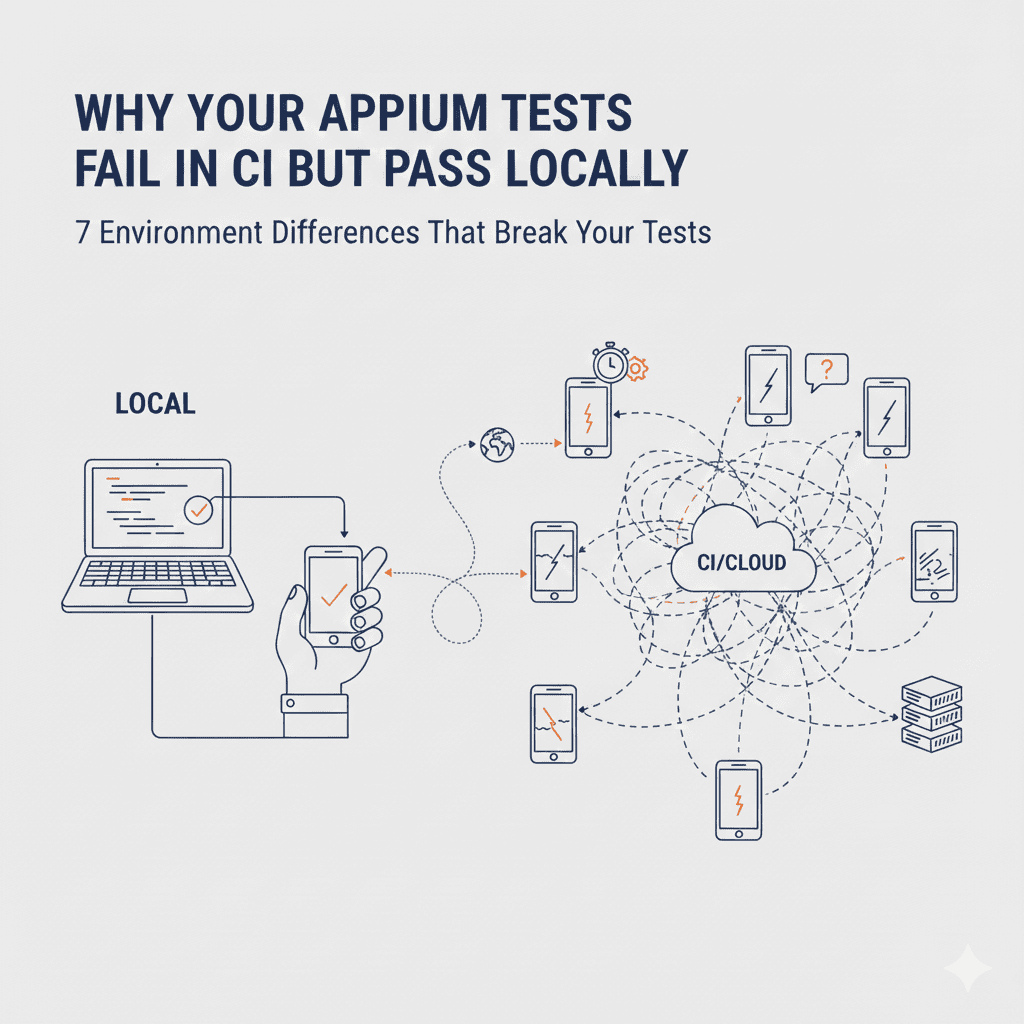
Nothing changed. That’s the problem. Your tests aren’t flaky—they’re environment-dependent. And CI is a different environment than your laptop.
“Flaky” is a codeword for “I don’t know why this fails.” And the real cost of flaky tests goes well beyond wasted debugging time – it compounds into delayed releases and eroded trust. Let’s fix that.
The 7 Environment Differences That Break Your Tests
After running device labs for 12+ years and watching thousands of test suites fail in CI, we’ve identified the most common culprits. Here’s what’s actually happening.
1. CI Runners Are Slower Than Your Machine
This is the #1 cause of tests that pass locally and fail in CI.
Your laptop has 32GB RAM, an M3 chip, and nothing else running. GitHub Actions runners have 7GB RAM, shared CPU, and are running your tests alongside everyone else’s.
What happens:
// Works locally (element appears in 2 seconds)
// Fails in CI (element takes 8 seconds)
driver.findElement(By.id("submit_button")).click();
The element exists. It’s just not there yet when Appium looks for it.
The fix:
Never use implicit waits alone. Use explicit waits for every interaction:
WebDriverWait wait = new WebDriverWait(driver, Duration.ofSeconds(30));
WebElement submitButton = wait.until(
    ExpectedConditions.elementToBeClickable(By.id("submit_button"))
);
submitButton.click();
And never use Thread.sleep(). It’s not a fix—it’s a prayer.
// BAD: Works until it doesn't
Thread.sleep(5000);
driver.findElement(By.id("submit_button")).click();

// GOOD: Waits only as long as needed
wait.until(ExpectedConditions.elementToBeClickable(By.id("submit_button"))).click();
2. Cold Start vs Warm State
Your local emulator has been running for hours. The app is cached. The OS is warmed up.
CI starts a fresh emulator every time. Cold boot. Cold app. First-run dialogs you’ve never seen.
What happens:
Local: App launches in 3 seconds
CI: App launches in 15 seconds, shows "What's New" dialog, requests permissions
The fix:
Handle first-run states explicitly:
// Wait for app to be ready, not just launched
wait.until(ExpectedConditions.presenceOfElementLocated(By.id("main_screen")));

// Dismiss first-run dialogs if present
try {
    WebElement skipButton = driver.findElement(By.id("skip_intro"));
    skipButton.click();
} catch (NoSuchElementException e) {
    // Already past intro, continue
}

// Handle permission dialogs
try {
    WebElement allowButton = driver.findElement(By.id("com.android.permissioncontroller:id/permission_allow_button"));
    allowButton.click();
} catch (NoSuchElementException e) {
    // No permission dialog, continue
}
Better yet, use Appium capabilities to auto-grant permissions:
capabilities.setCapability("appium:autoGrantPermissions", true);
3. Screen Resolution and DPI Differences
Your local emulator is a Pixel 6 at 1080x2400. CI might be running a different AVD profile entirely.
What happens:
- Tap coordinates that work locally miss the button in CI
- Scroll distances don’t match
- Elements are off-screen in CI but visible locally
The fix:
Never use coordinates. Use accessibility IDs and content descriptions:
// BAD: Coordinates break across screen sizes
TouchAction action = new TouchAction(driver);
action.tap(PointOption.point(540, 1200)).perform();

// GOOD: Works on any screen size
driver.findElement(By.accessibilityId("submit_button")).click();
If you must scroll, use element-based scrolling:
// BAD: Fixed scroll distance
driver.executeScript("mobile: scroll", ImmutableMap.of("direction", "down"));

// GOOD: Scroll until element is visible
wait.until(ExpectedConditions.visibilityOfElementLocated(
    MobileBy.AndroidUIAutomator("new UiScrollable(new UiSelector().scrollable(true)).scrollIntoView(new UiSelector().resourceId(\"target_element\"))")
));
4. Network Latency You Don’t See Locally
One team we worked with had a bizarre issue: tests passed 90% of the time in CI, failed 10% with timeouts. Everything worked locally.
The root cause? Their CI macOS VMs were in Wisconsin. Their Linux VMs (running the mock backend) were in Germany. 8,400 mile round trip. 250ms latency per request.
What happens:
- API calls that take 50ms locally take 300ms in CI
- Login flows timeout
- Data doesn’t load before assertions run
The fix:
Add network-aware waits:
// Wait for data to load, not just the container
wait.until(ExpectedConditions.numberOfElementsToBeMoreThan(
    By.className("list_item"),
    0
));

// Or wait for loading indicators to disappear
wait.until(ExpectedConditions.invisibilityOfElementLocated(
    By.id("loading_spinner")
));
If you’re hitting external services, mock them:
// Use WireMock or similar for predictable responses
WireMockServer wireMockServer = new WireMockServer(8080);
wireMockServer.stubFor(get(urlEqualTo("/api/user"))
    .willReturn(aResponse()
        .withBody("{\"name\": \"Test User\"}")
        .withStatus(200)));
5. Appium Server Startup Race Condition
Locally, Appium is already running when you start tests. In CI, you start Appium and tests in the same script.
What happens:
# CI script
appium &
npm test  # Tests start before Appium is ready
Your tests try to connect before Appium is listening. Connection refused.
The fix:
Wait for Appium to be ready:
# Start Appium
appium &

# Wait for it to be ready
until curl -s http://localhost:4723/status > /dev/null; do
    echo "Waiting for Appium..."
    sleep 1
done

# Now run tests
npm test
Or in your test setup:
@BeforeClass
public void waitForAppium() throws Exception {
    int maxAttempts = 30;
    for (int i = 0; i < maxAttempts; i++) {
        try {
            new URL("http://localhost:4723/status").openConnection().connect();
            return;
        } catch (IOException e) {
            Thread.sleep(1000);
        }
    }
    throw new RuntimeException("Appium server not ready after 30 seconds");
}
6. Port Conflicts in Parallel Execution
Locally, you run one test at a time. CI runs multiple jobs in parallel. For distributed testing strategies, see Appium Distributed Devices Setup Guide.
What happens:
- Job 1 starts Appium on port 4723
- Job 2 starts Appium on port 4723
- One of them fails with “port already in use”
Or worse: both connect to the same Appium instance and send commands to each other’s devices.
The fix:
Use dynamic port allocation:
// Find an available port
ServerSocket socket = new ServerSocket(0);
int appiumPort = socket.getLocalPort();
socket.close();

// Start Appium on that port
AppiumServiceBuilder builder = new AppiumServiceBuilder()
    .withIPAddress("127.0.0.1")
    .usingPort(appiumPort);

AppiumDriverLocalService service = builder.build();
service.start();

// Connect to that specific port
capabilities.setCapability("appium:systemPort", appiumPort);
For Android, also randomize the systemPort and chromedriverPort:
capabilities.setCapability("appium:systemPort", findAvailablePort());
capabilities.setCapability("appium:chromedriverPort", findAvailablePort());
7. Hardcoded Paths and Missing Environment Variables
Your tests reference /Users/yourname/app.apk. CI has no idea who “yourname” is.
What happens:
// Works on your machine
capabilities.setCapability("app", "/Users/john/projects/myapp/app.apk");

// Fails everywhere else
The fix:
Use relative paths and environment variables:
// Use relative path from project root
String appPath = System.getProperty("user.dir") + "/app/build/outputs/apk/debug/app-debug.apk";

// Or use environment variable
String appPath = System.getenv("APP_PATH");
if (appPath == null) {
    throw new RuntimeException("APP_PATH environment variable not set");
}

capabilities.setCapability("app", appPath);
In your CI config:
# GitHub Actions
env:
  APP_PATH: ${{ github.workspace }}/app/build/outputs/apk/debug/app-debug.apk
The Meta Problem: You Can’t Debug What You Can’t See
When tests fail locally, you see the screen. You watch the tap miss. You see the dialog that appeared unexpectedly.
In CI, you get a stack trace and your imagination.
The fix: Add observability to every test run.
Screenshot on Failure
@AfterMethod
public void captureScreenshot(ITestResult result) {
    if (result.getStatus() == ITestResult.FAILURE) {
        File screenshot = ((TakesScreenshot) driver).getScreenshotAs(OutputType.FILE);
        String filename = result.getName() + "_" + System.currentTimeMillis() + ".png";
        FileUtils.copyFile(screenshot, new File("screenshots/" + filename));
    }
}
Video Recording
For Appium 2.x with UiAutomator2:
// Start recording at test start
driver.executeScript("mobile: startScreenStreaming", ImmutableMap.of(
    "width", 1280,
    "height", 720,
    "bitRate", 2000000
));

// Stop and save at test end
driver.executeScript("mobile: stopScreenStreaming");
Comprehensive Logging
// Log page source on failure (helps debug element location issues)
@AfterMethod
public void logPageSource(ITestResult result) {
    if (result.getStatus() == ITestResult.FAILURE) {
        System.out.println("Page source at failure:");
        System.out.println(driver.getPageSource());
    }
}
The Prevention Checklist
Before merging any test to your main branch:
- Run the test 10 times locally. If it fails once, it’s not ready.
- Use explicit waits for every element interaction
- No hardcoded paths or coordinates
- No
Thread.sleep()calls - Handle first-run states and permission dialogs
- Capture screenshots and logs on failure
- Test with a clean emulator state (cold boot)
Frequently Asked Questions
Why do my Appium tests pass locally but fail in CI?
The most common causes: slower CI runners causing timeout issues, cold emulator state vs your warmed-up local emulator, different screen resolutions, network latency differences, and Appium server startup race conditions. Each creates environment differences that cause tests to behave differently.
How do I fix flaky Appium tests in GitHub Actions?
Use explicit waits instead of implicit waits, add health checks before running tests, handle first-run dialogs and permission requests, use dynamic port allocation for parallel runs, and capture screenshots on failure for debugging.
What causes element not found errors only in CI?
Usually timing issues. The element exists but hasn’t loaded yet. CI runners are slower than local machines, so elements take longer to appear. Use WebDriverWait with ExpectedConditions.elementToBeClickable() or presenceOfElementLocated() instead of direct findElement() calls.
How do I debug Appium tests that only fail in CI?
Add comprehensive logging: capture screenshots on failure, log page source, record videos if possible. Check that your CI emulator configuration matches your local setup (screen size, API level, device profile).
Should I use Thread.sleep() to fix timing issues?
No. Thread.sleep() adds fixed delays that slow down tests and don’t actually solve the problem — they just mask it until the next time the app is slower than your sleep duration. Use explicit waits that poll for the condition you need.
The Real Solution: Same Device, Same Environment
Here’s the uncomfortable truth: most CI failures happen because CI and local are fundamentally different environments.
You’re running against an emulator in CI but a real device locally. Or a cloud device that’s 5,000 miles away. Or a shared device that some other test just left in a weird state.
The cleanest solution is to eliminate the environment difference entirely. Run your tests against the same devices, whether you’re debugging locally or running in CI.
That’s why we built DeviceLab. Your physical devices in your office, accessible from your laptop and your CI runners. Same device, same network, same environment. No tunnels needed—localhost actually means localhost.
No more “works on my machine.” Because it’s the same machine.
Running into CI failures with your device tests? DeviceLab connects your physical devices directly to your CI runners via P2P—same device locally and in CI, no environment differences. First device free forever.