
Your Selenium tests run fine locally. But the moment you route them through Sauce Connect, everything slows to a crawl. Timeouts spike. Tests become flaky. Your CI pipeline turns red.
You’re not imagining it. Sauce Labs themselves document this issue: “The additional network hops required to access external resources have the potential to slow test execution dramatically.”
But why? And what can you do about it?
The Hidden Cost of Tunnel-Based Testing
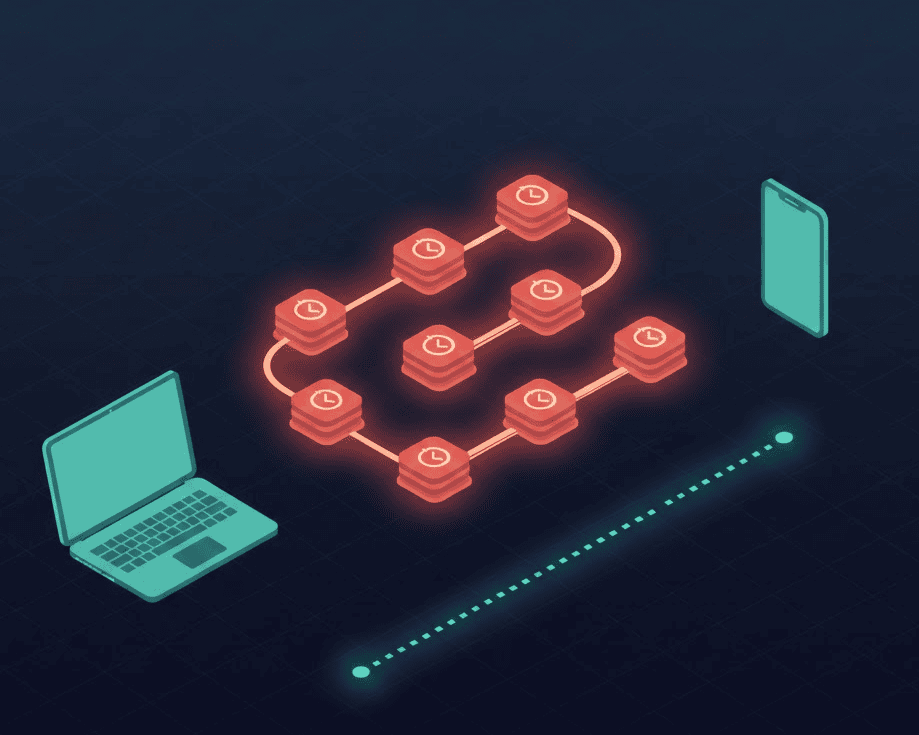
When you run tests through Sauce Connect (or BrowserStack Local), your traffic follows this path:
Your App → SC Client → Internet → Sauce Labs Cloud → Test VM → Back through tunnel → Your App
Every HTTP request your test makes travels this entire round-trip. For a typical mobile app test making hundreds of requests, this adds up fast.
Sauce Labs’ documentation recommends specific mitigations:
- Use
--tunnel-domainsto minimize expensive tunneled traffic - Use
--direct-domainsto route public resources over the internet - Use
--deny-domainsto drop unnecessary requests entirely - Restart tunnels every 24 hours to prevent performance degradation
- Run 60+ parallel tests? Launch multiple tunnels in High Availability mode
These aren’t performance tips. They’re workarounds for architectural overhead.
The TCP Meltdown Problem
There’s a deeper issue that cloud testing providers rarely discuss: TCP-over-TCP meltdown.
When your test traffic (which is already TCP) gets wrapped in another TCP tunnel, something breaks. Wikipedia’s tunneling protocol page describes the phenomenon:
“Tunneling a TCP-encapsulating payload over a TCP-based connection is known as ‘TCP-over-TCP’, and doing so can induce a dramatic loss in transmission performance.”
Here’s what happens:
- Your inner TCP connection sends a packet
- The packet gets lost (normal on any network)
- The outer tunnel’s TCP detects the loss and retransmits
- Your inner TCP also detects the loss and retransmits
- Both layers compete to fix the same problem
- Congestion spirals as retransmissions stack up
This is called “TCP meltdown” and it’s well-documented in academic literature. A 2015 IEEE paper on OpenVPN performance found that TCP tunnels showed consistently higher latency than UDP tunnels, specifically because of this double-retransmission problem.
OpenVPN’s official documentation explicitly warns: “TCP Meltdown occurs when TCP traffic is tunneled over TCP, causing performance issues due to overcompensating retransmissions. Use UDP for the tunnel to avoid this issue.”
VPN protocol designers at Equinux explain why this matters:
“A TCP VPN ironically only works reliably as long as the line is near perfect. Even if it doesn’t break down completely, there will eventually be duplicate retransmissions that increase latency and noticeably decrease VPN throughput.”
Sauce Connect 5: Better, But Still a Tunnel
To their credit, Sauce Labs has invested heavily in improving Sauce Connect. Version 5.0 moved from a proprietary KGP protocol to HTTP/2, and they claim significant improvements:
| Version | Throughput | Requests/sec (p99 < 100ms) |
|---|---|---|
| SC 4.x | 58-65 MB/s | ~1,000 req/s |
| SC 5.x | 78-85 MB/s | 6,500-8,500 req/s |
That’s a 32.5% improvement in throughput and up to 850% more request handling capacity.
But here’s the thing: it’s still a tunnel. Your traffic still makes round-trips through Sauce Labs’ infrastructure. The fundamental architecture hasn’t changed—it’s just optimized.
The Real Cost: Time + Money
Let’s do the math on tunnel overhead.
Scenario: Running 100 Appium tests in parallel, each making 200 HTTP requests.
With tunnel latency of even 50ms per request (conservative for cross-region):
- 200 requests × 50ms = 10 seconds added per test
- 100 tests × 10 seconds = 1,000 seconds of accumulated delay
- At Sauce Labs’ rates, that’s real money
And that’s before accounting for:
- Tunnel establishment time (1-5 seconds per session)
- The 24-hour restart recommendation (and associated downtime)
- Flaky tests from timeout edge cases
- Engineering time debugging “works locally but fails in CI”
For a detailed breakdown, see our device cloud cost calculator.
When Tunnels Are Unavoidable
To be fair, tunnels solve a real problem. If your app is:
- Behind a corporate firewall with strict egress rules
- On a private VPN with no public exposure
- In active development on localhost
Then you need some way to bridge your local environment to cloud devices.
Sauce Labs’ documentation is clear about this: “Sauce Connect Proxy is an enterprise-grade IPSec VPN solution that provides a secure, static connection between apps hosted on your private network and devices on the Sauce Labs cloud.”
For enterprise security requirements, tunnels may be mandatory.
The Alternative: Peer-to-Peer Architecture
What if you could test on real devices without routing through a cloud provider’s infrastructure?
Peer-to-peer (P2P) testing uses WebRTC to create direct connections between your machine and your devices. The protocol was designed for low-latency communication (it’s what powers Google Meet and Zoom).
Key advantages:
- No tunnel overhead: Traffic goes directly between your machine and device
- UDP-based transport: WebRTC uses SRTP over UDP, avoiding TCP meltdown
- Sub-500ms latency: WebRTC typically delivers latency under half a second
- NAT traversal built-in: ICE, STUN, and TURN handle firewall issues automatically
The WebRTC specification was designed specifically for real-time communication. When adapted for device testing, it eliminates the architectural bottlenecks that plague tunnel-based solutions.
DeviceLab: P2P Testing on Your Own Devices
DeviceLab uses WebRTC to create peer-to-peer connections between your CI server and your own physical devices. No traffic routes through our servers. No tunnel to maintain.
How it works:
- Install the DeviceLab agent on any Mac (for iOS) or machine with connected Android devices
- Devices register with a lightweight signaling server (metadata only, not test traffic)
- When tests run, WebRTC establishes a direct P2P connection
- All test traffic flows directly between your CI and your device
The result:
- No tunnel establishment delay
- No TCP meltdown
- No 24-hour restart windows
- No per-minute cloud charges
For more details on tunnel-free localhost testing, see our post on localhost testing without tunnels. Compare similar BrowserStack tunnel issues for another perspective.
When to Use What
| Scenario | Best Option |
|---|---|
| Testing localhost behind corporate firewall | Sauce Connect (required) |
| Need 500+ device/browser combinations | Cloud provider (practical) |
| Own devices, need low latency | P2P (DeviceLab) |
| Compliance requires on-premise | P2P (DeviceLab) |
| Budget-constrained at scale | P2P (DeviceLab) |
Cloud testing platforms are powerful. But for teams that already own devices and need fast, reliable test execution, the tunnel tax is hard to justify. (See also: LambdaTest’s similar performance issues.) For alternatives without tunnels, explore self-hosted options. Need proper Sauce Connect setup? See our configuration guide. Experiencing other Sauce Labs issues? Check our troubleshooting guide.
Quick Fixes If You’re Stuck With Sauce Connect
While you evaluate alternatives, here are Sauce Labs’ own recommendations for improving tunnel performance:
# Minimize tunneled traffic (recommended for best performance)
sc run \
  --tunnel-domains "*.your-internal-domain.com" \
  --direct-domains "*.google.com,*.cdn.com" \
  --deny-domains ".*analytics.*,.*tracking.*"
Other optimizations:
- Use the US-West or EU-Central data center closest to your CI
- Ensure your SC host has minimum 2 CPU cores and 8GB RAM
- Set open file limit to 64000 on Linux/macOS
- Restart tunnels daily (their recommendation, not ours)
- For 50+ parallel tests, use High Availability tunnel pools
These help. But they’re treating symptoms, not the underlying architecture.
The Bottom Line
Sauce Connect isn’t broken—it’s doing exactly what tunnels do. The latency you’re experiencing is the cost of routing all traffic through a centralized cloud infrastructure.
For teams that need to test apps behind firewalls, that cost is worth paying. For everyone else, there’s a faster path.
Your devices. Your network. Zero tunnel overhead.
Frequently Asked Questions
Why is Sauce Connect so slow?
Sauce Connect routes all test traffic through Sauce Labs’ cloud infrastructure, adding network hops and latency. Additionally, TCP-over-TCP tunneling can cause “TCP meltdown” where duplicate retransmissions compound delays.
How do I speed up Sauce Connect?
Use --tunnel-domains to only tunnel internal domains, --direct-domains for public resources, and --deny-domains for analytics/tracking. Sauce Labs also recommends restarting tunnels every 24 hours and using High Availability mode for 50+ parallel tests.
What is TCP meltdown?
TCP meltdown occurs when TCP traffic is wrapped inside a TCP tunnel. When packets are lost, both the inner and outer TCP connections attempt retransmissions simultaneously, causing congestion and performance degradation.
Is there an alternative to Sauce Connect?
For testing on your own devices, peer-to-peer solutions like DeviceLab use WebRTC to create direct connections without tunnel overhead. This eliminates the latency penalty of centralized cloud routing.
Last verified: December 2025
See how DeviceLab compares to the giants: vs BrowserStack | vs Sauce Labs | Read the Cost Analysis →